
From the care plan to the record, step by step.
See how a care team plans, schedules, delivers and reviews care in WeHomeCare Connect, with each person working on the same record.

A DAY WITH CONNECT
One care team, one day, one record.
A working day in Connect, from the first check at 07:30 to the review at 18:00, all on the same record.
07:30
Coordinator
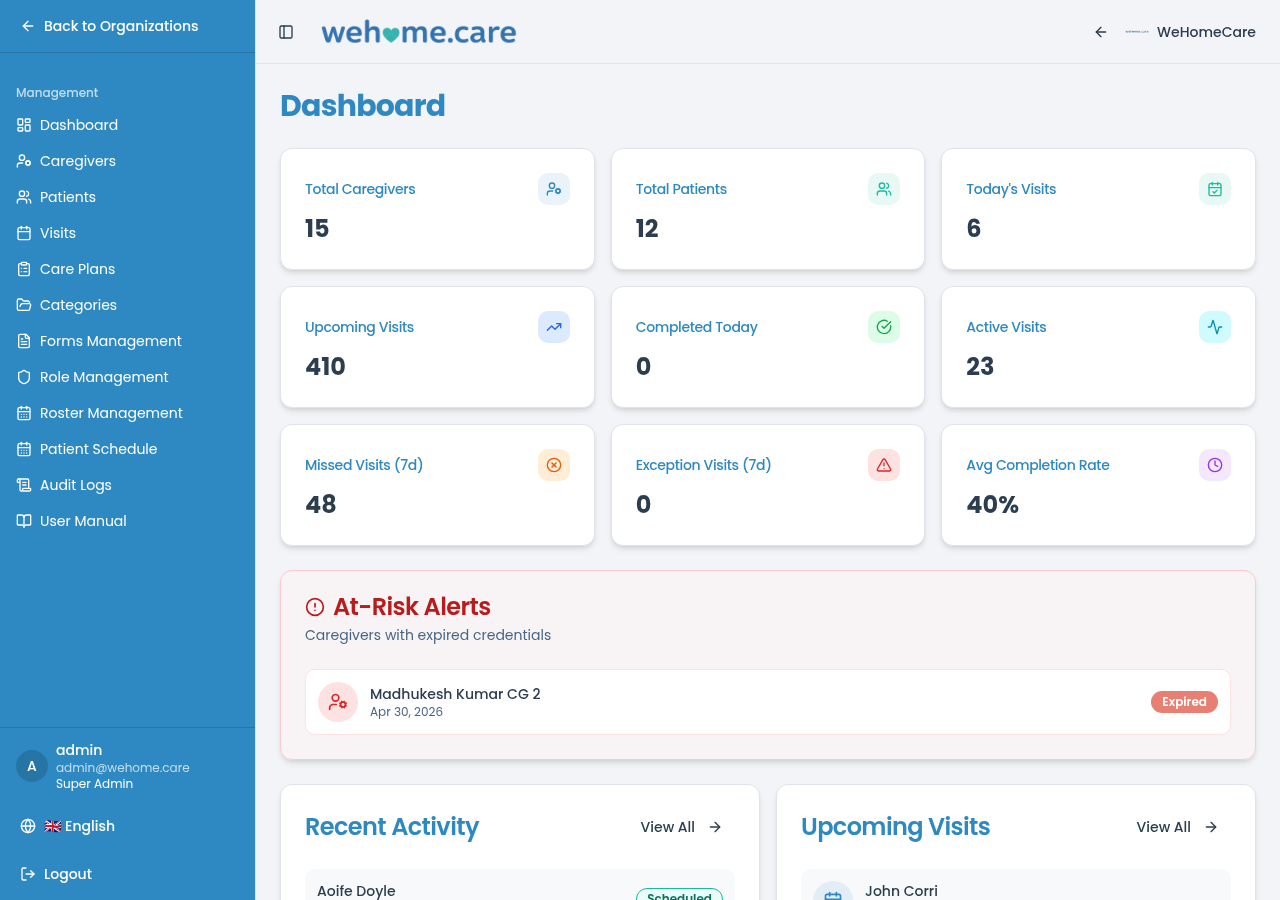
See the day before it starts
Today's visits, who is on shift and anything that needs attention, on one dashboard.
07:45
Coordinator
Fill gaps in the roster
Every shift by month, week or day, with your own shift codes.
08:15
Coordinator
Review today's visits
Check each visit against the care plan, with its caregiver, time and tasks, before the first one starts.
09:00
Caregiver
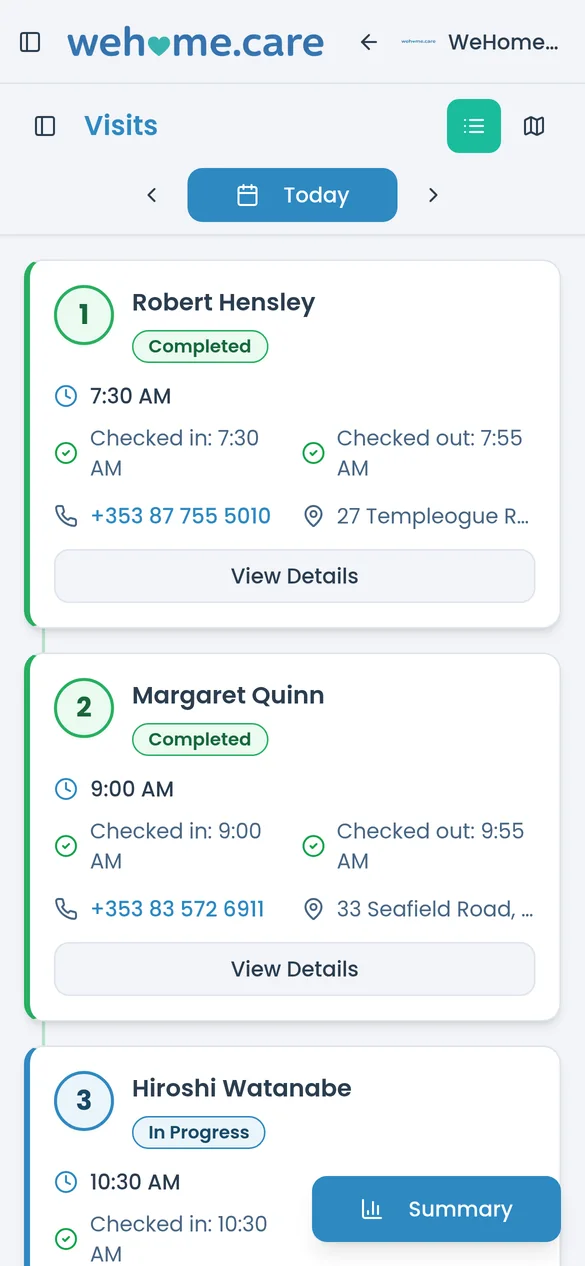
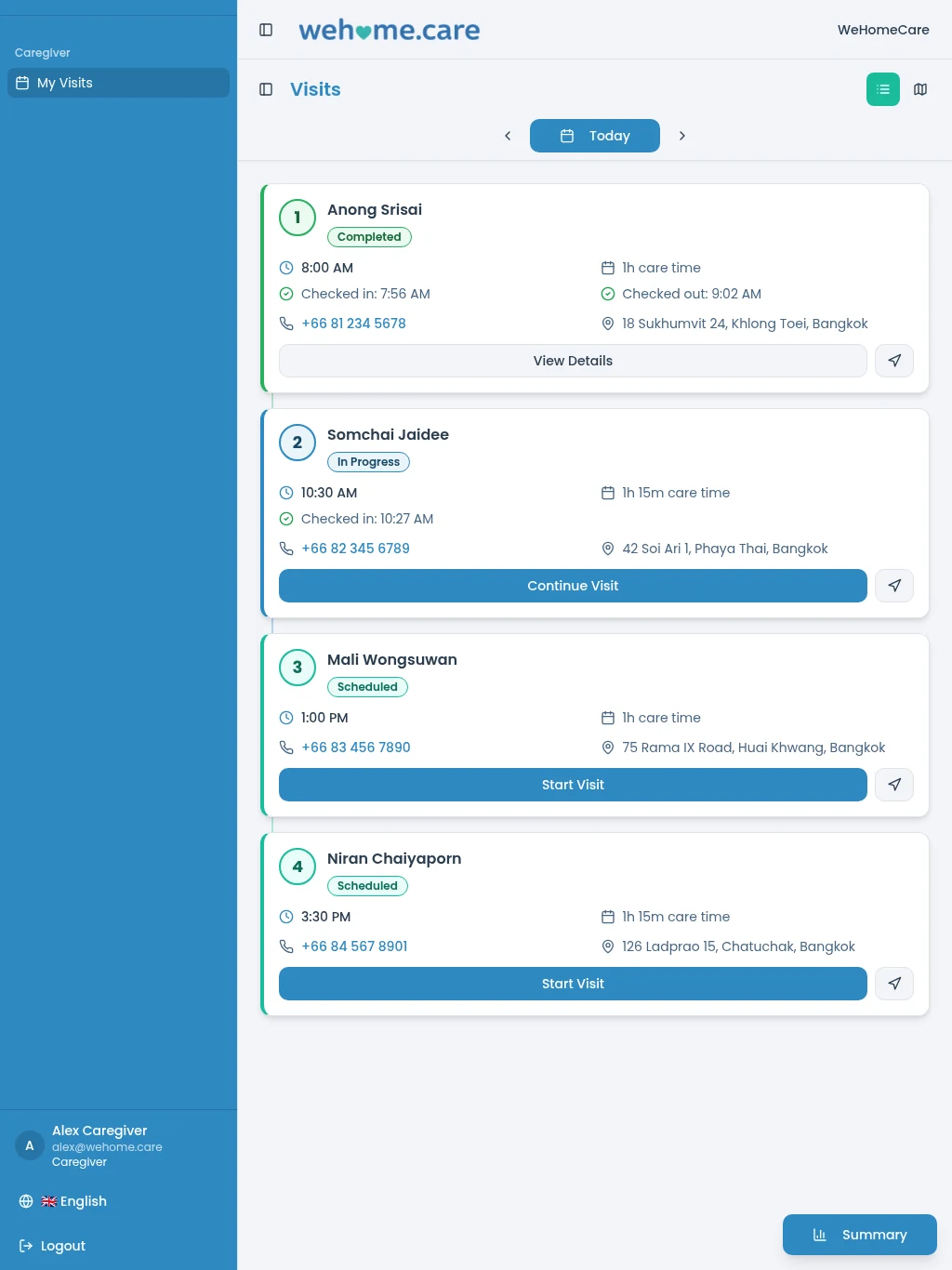
Open the day on a tablet
My Visits lists each visit in time order, with the address, care time and a button to start.
09:40
Caregiver
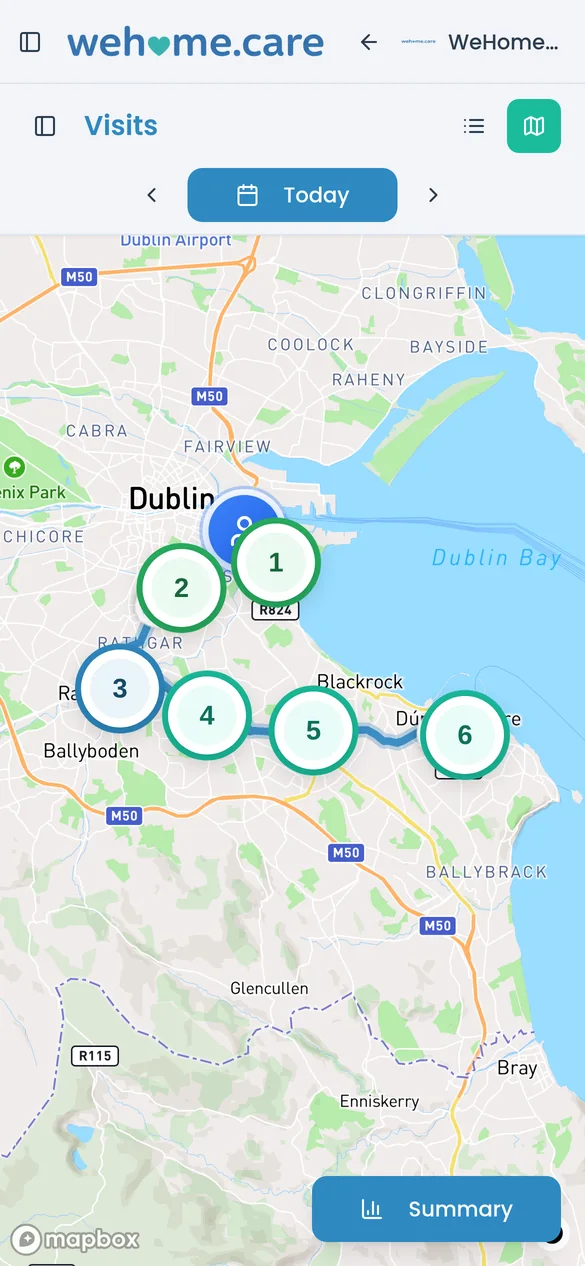
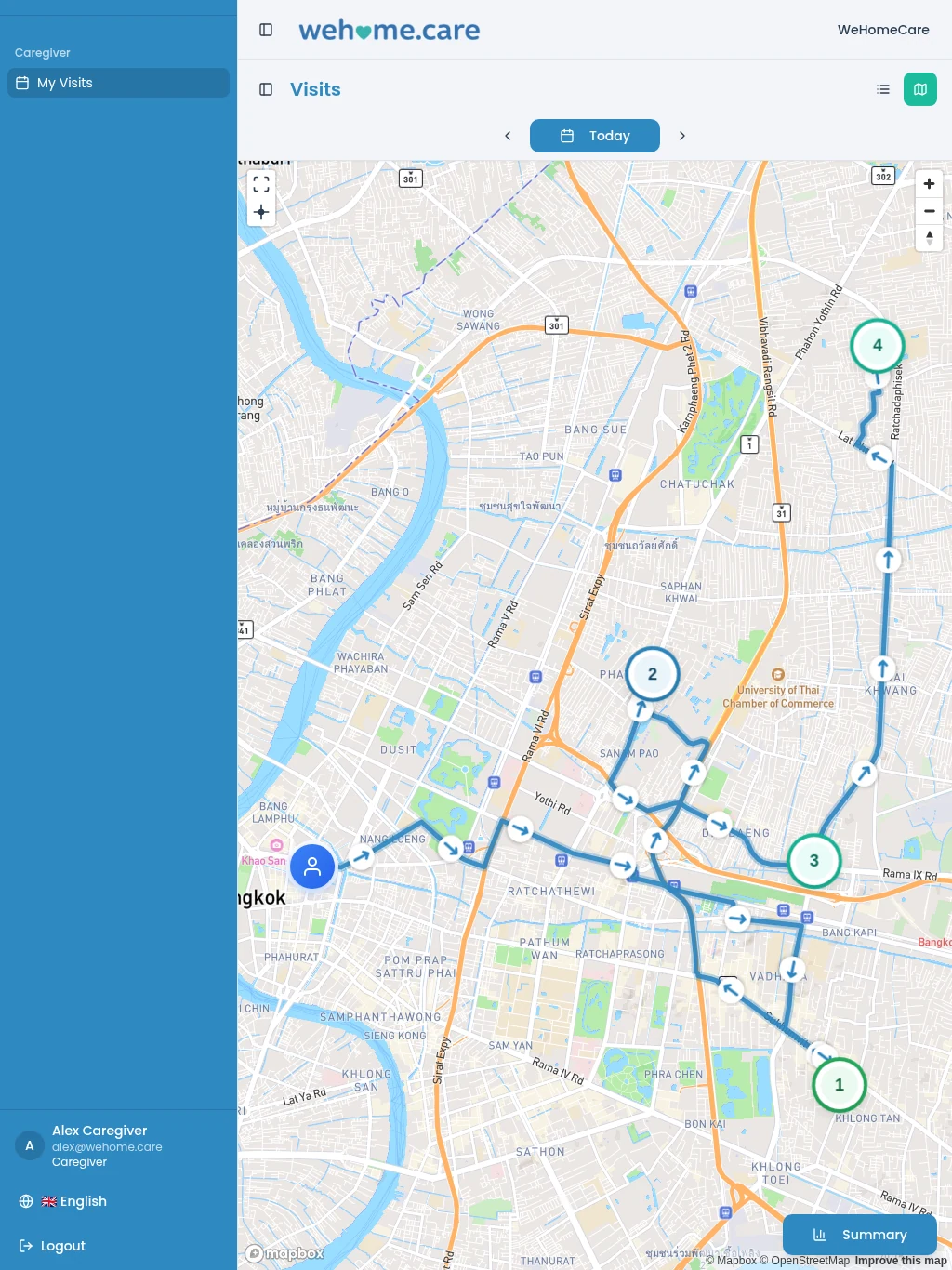
Follow the route
The map view shows every stop for the day and the way between them.
10:30
Caregiver
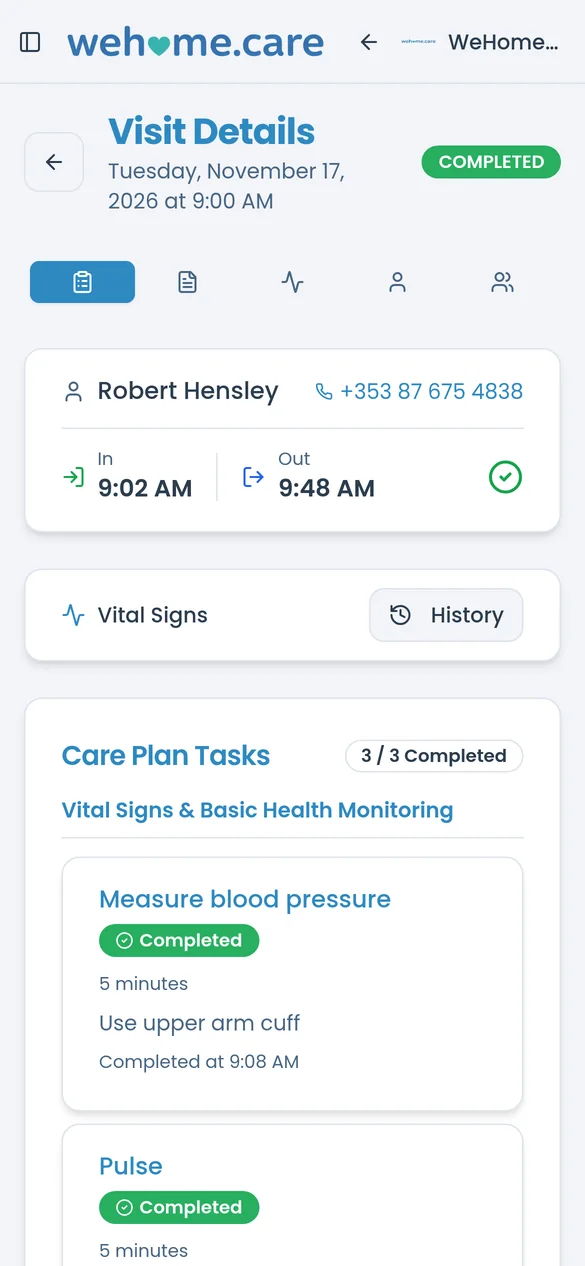
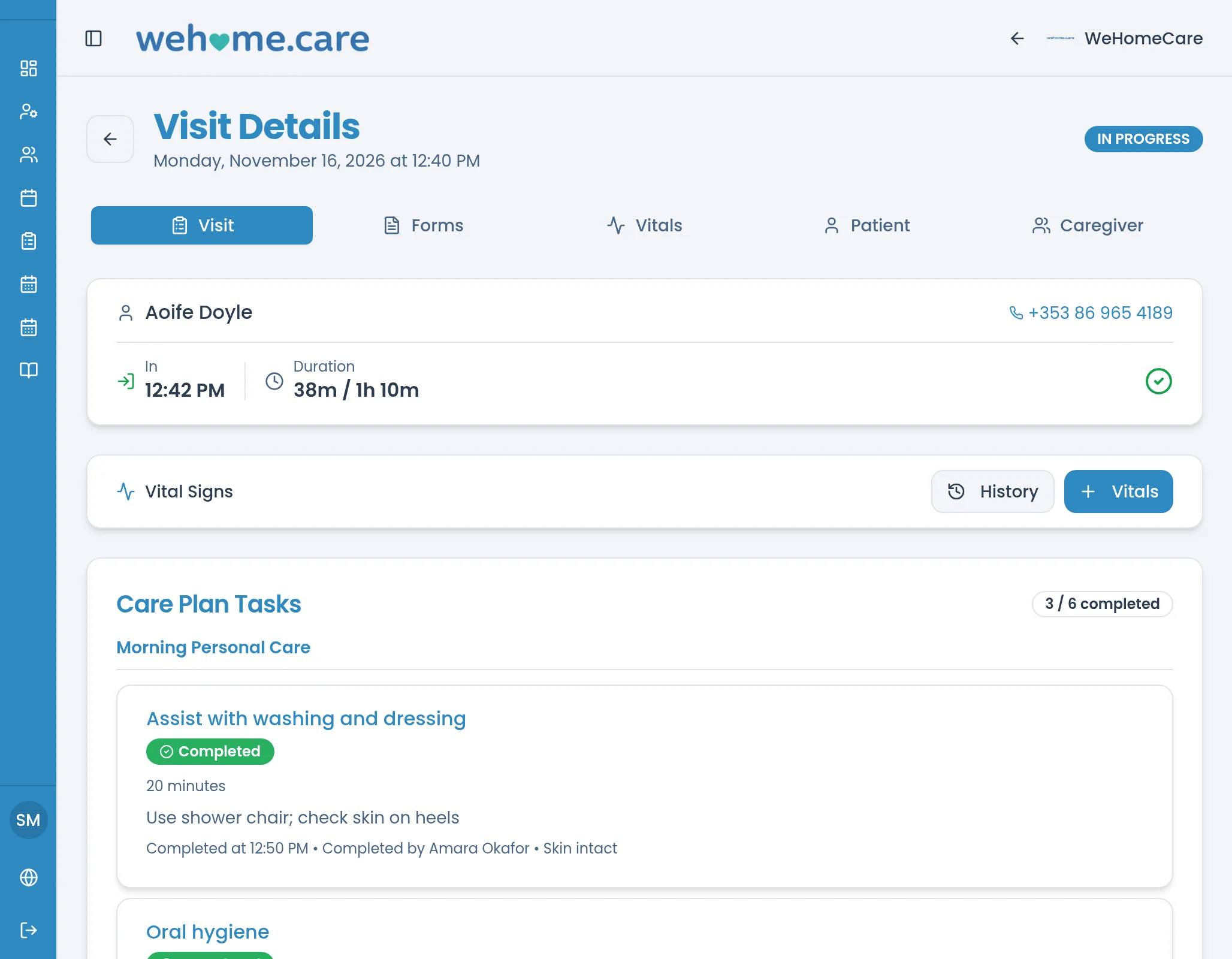
Record care during the visit
Care plan tasks ticked off, vital signs recorded, check-out in one tap.
14:00
Nurse
Complete an assessment
Your own forms, with scoring. Earlier entries stay on the patient's record.
18:00
Manager
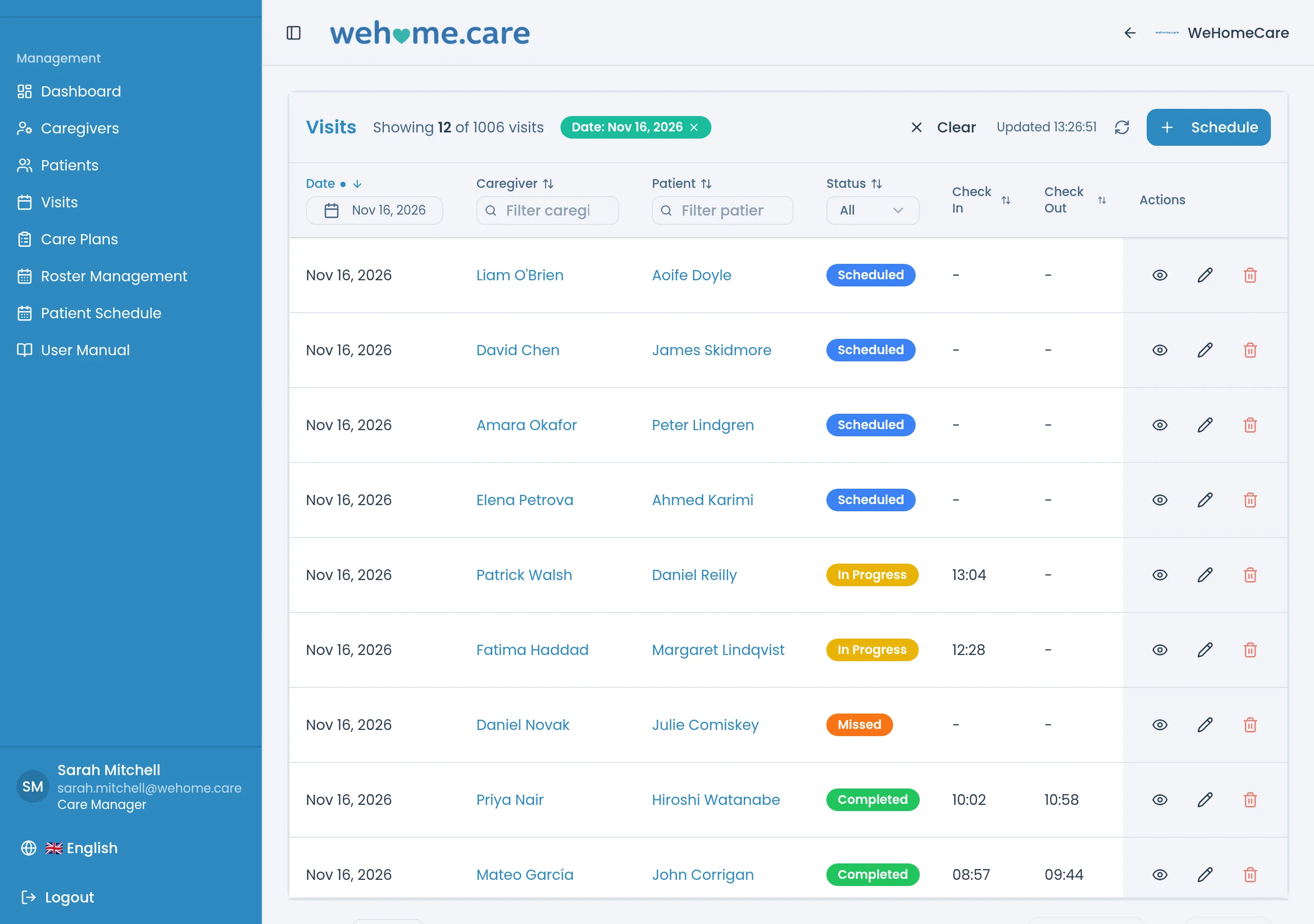
Review what happened
Every visit with its status and its check-in and check-out times.
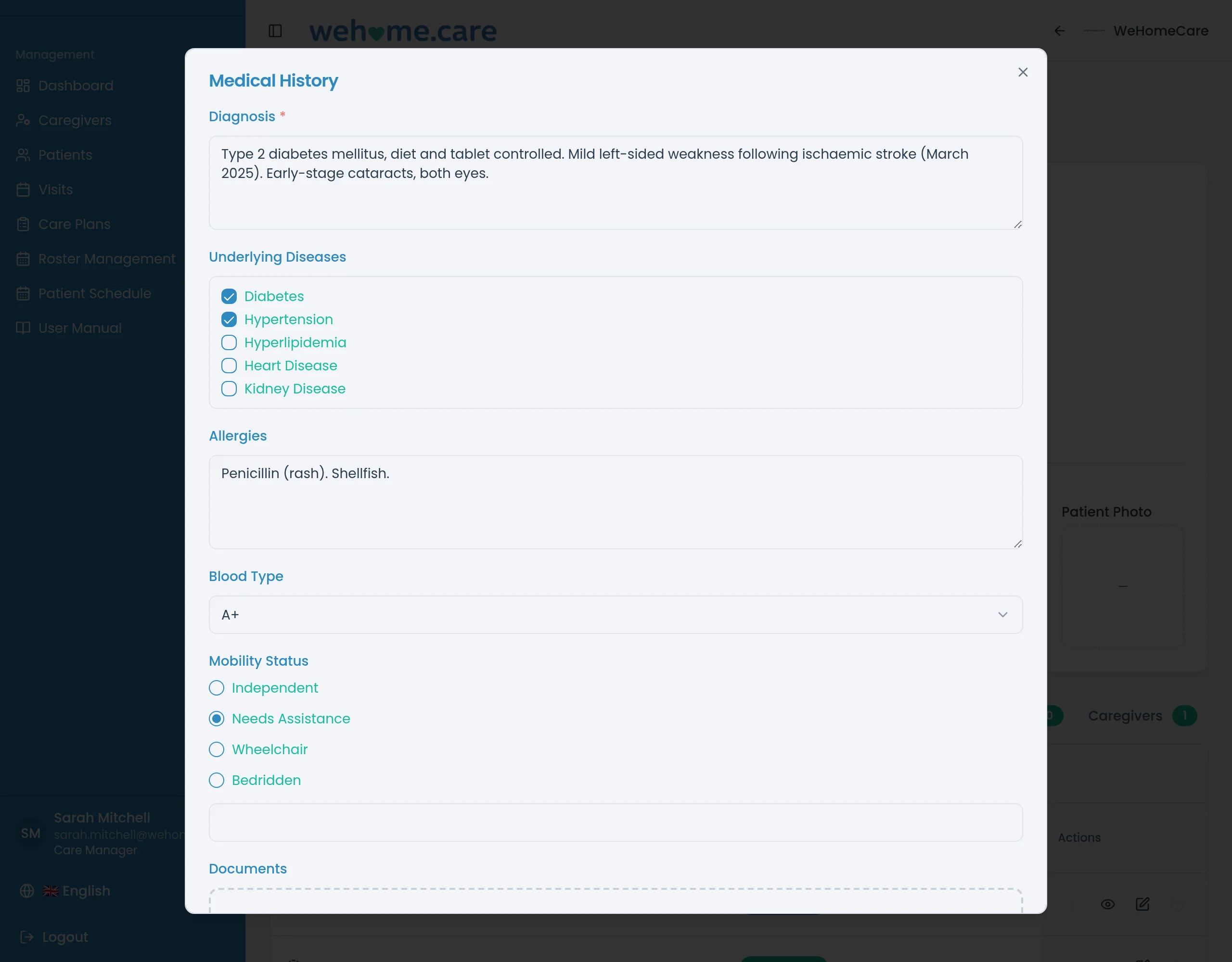
Start with the patient and their care plan.
Done by managers and coordinators
Set up the patient's profile, then build their care plan from reusable templates and ready-made task lists, with how often visits should take place.
- Keep the patient's details, contacts and notes in one profile.
- Build the care plan from a reusable template.
- Choose tasks from ready-made lists.
- Set the recurring visit pattern.
- Preview the plan as the caregiver will see it.
Why it mattersA plan built once from templates gives every visit the same starting point.
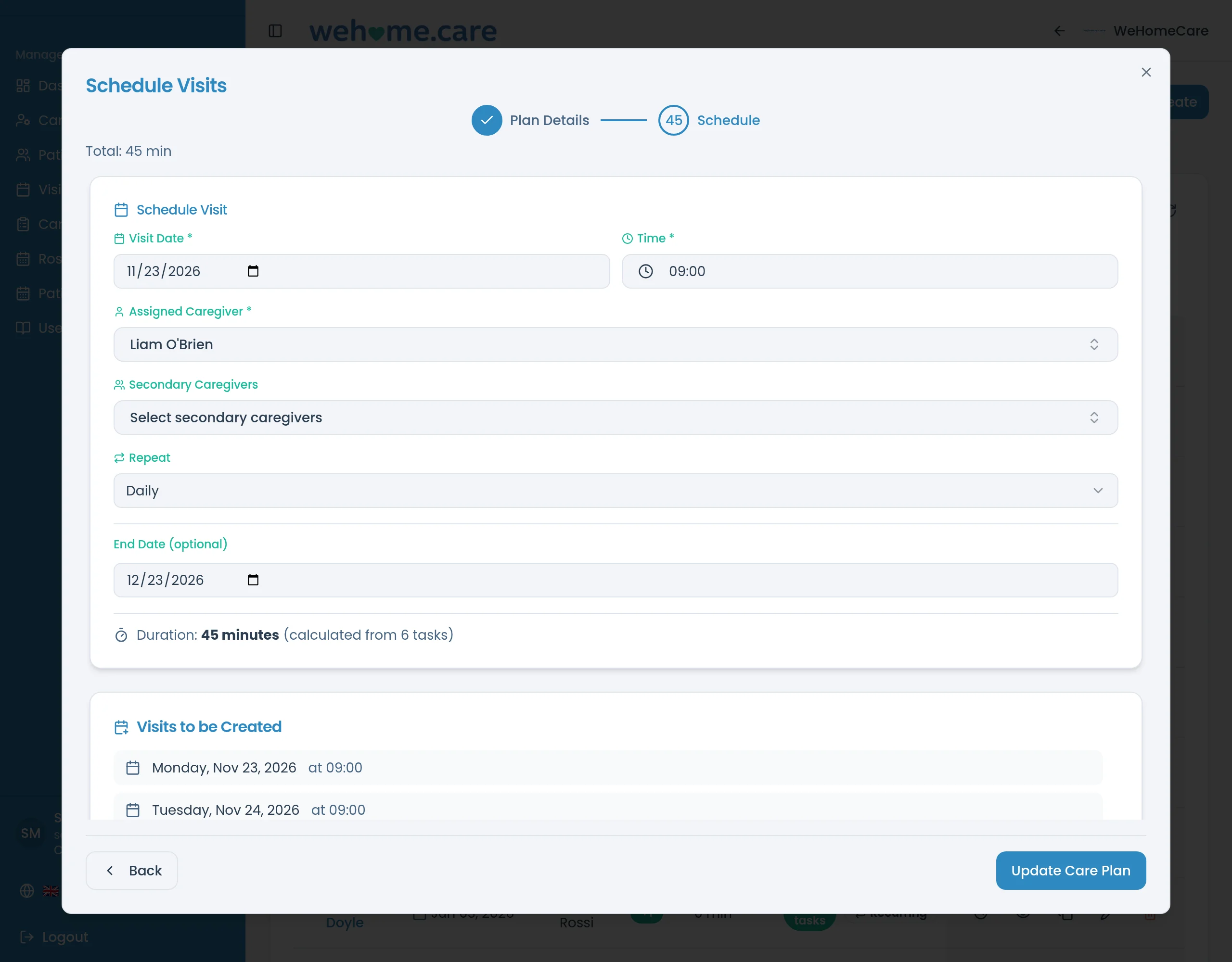
Turn the plan into visits and shifts.
Done by coordinators
Visits are generated from the care plan. Coordinators assign caregivers and use the roster to see who is working and where the gaps are.
- Generate scheduled visits from a care plan.
- Assign a caregiver and time to each visit.
- Review the roster by month, week or day.
- Create shifts with start and end times, colours and short codes.
- Keep track of credential expiry dates.
Why it mattersVisits and rosters in one place help coordinators plan further ahead and spot gaps before they become missed visits.
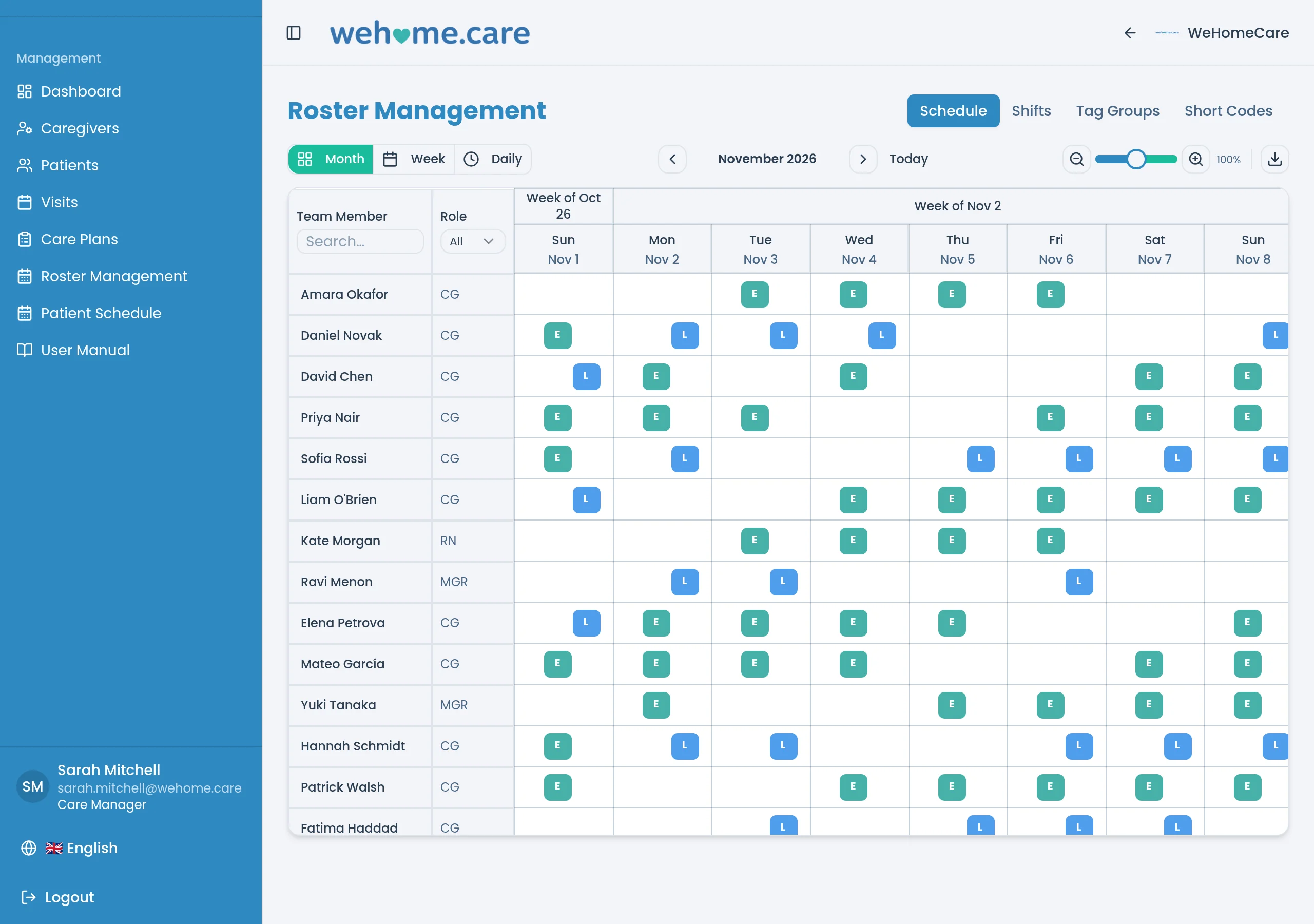
Record care at the point of care, during the visit.
Done by caregivers and nurses
Caregivers open My Visits on a phone or tablet, check in, work through the plan's tasks and check out. Nurses record vital signs and complete assessments in the same visit.
- See today's visits in time order, as a list or on a map.
- Check in and check out.
- Mark tasks as completed, or record why one could not be.
- Record vital signs and complete forms during the visit.
- Add notes for the next person.
Why it mattersInformation is recorded once, while it is fresh, instead of on paper and typed up later.
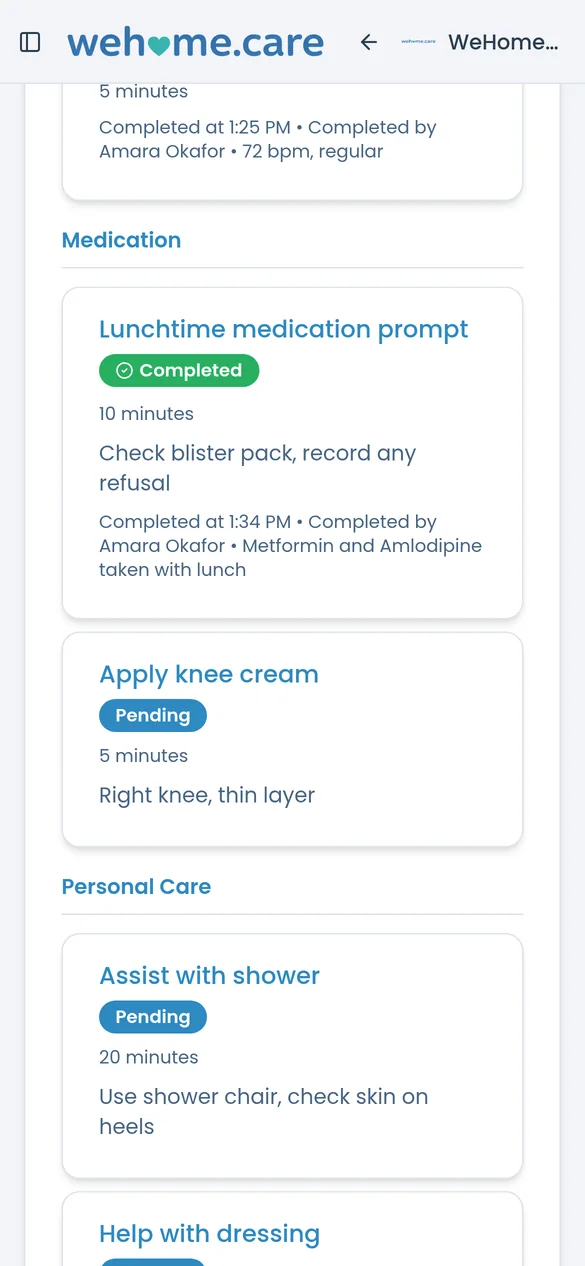
Review what happened, visit by visit.
Done by managers and coordinators
Every visit keeps its status, check-in and check-out times, notes and task outcomes, so managers can review the work and follow up where needed.
- Review visit status and history.
- See check-in and check-out times.
- Read visit notes and task outcomes.
- Identify visits flagged as missed.
- Review activity records where available.
Why it mattersA complete record of each visit gives managers a clearer view of the service they're running.
SEE IT WITH YOUR TEAM
See how Connect fits your workflow.
Tell us how your team plans and records care, and we'll walk you through it in WeHomeCare Connect, step by step.