
Everything Connect does, feature by feature.
Nine parts of everyday care work, from care plans and visits to clinical forms and rosters. Each one is shown with the real app screen and what your team can do with it.

Build care plans around the tasks that matter.
Create care plans using reusable templates and ready-made task lists. Set out the tasks required for a patient and configure how often visits should take place.
- Use reusable care-plan templates.
- Choose tasks from ready-made lists.
- Set recurring visit patterns.
- Preview the caregiver's view of a plan.
- Refer to the plan's version history.
Why it mattersReusable plans and task lists can reduce repetitive setup and help teams follow a more consistent process across visits.
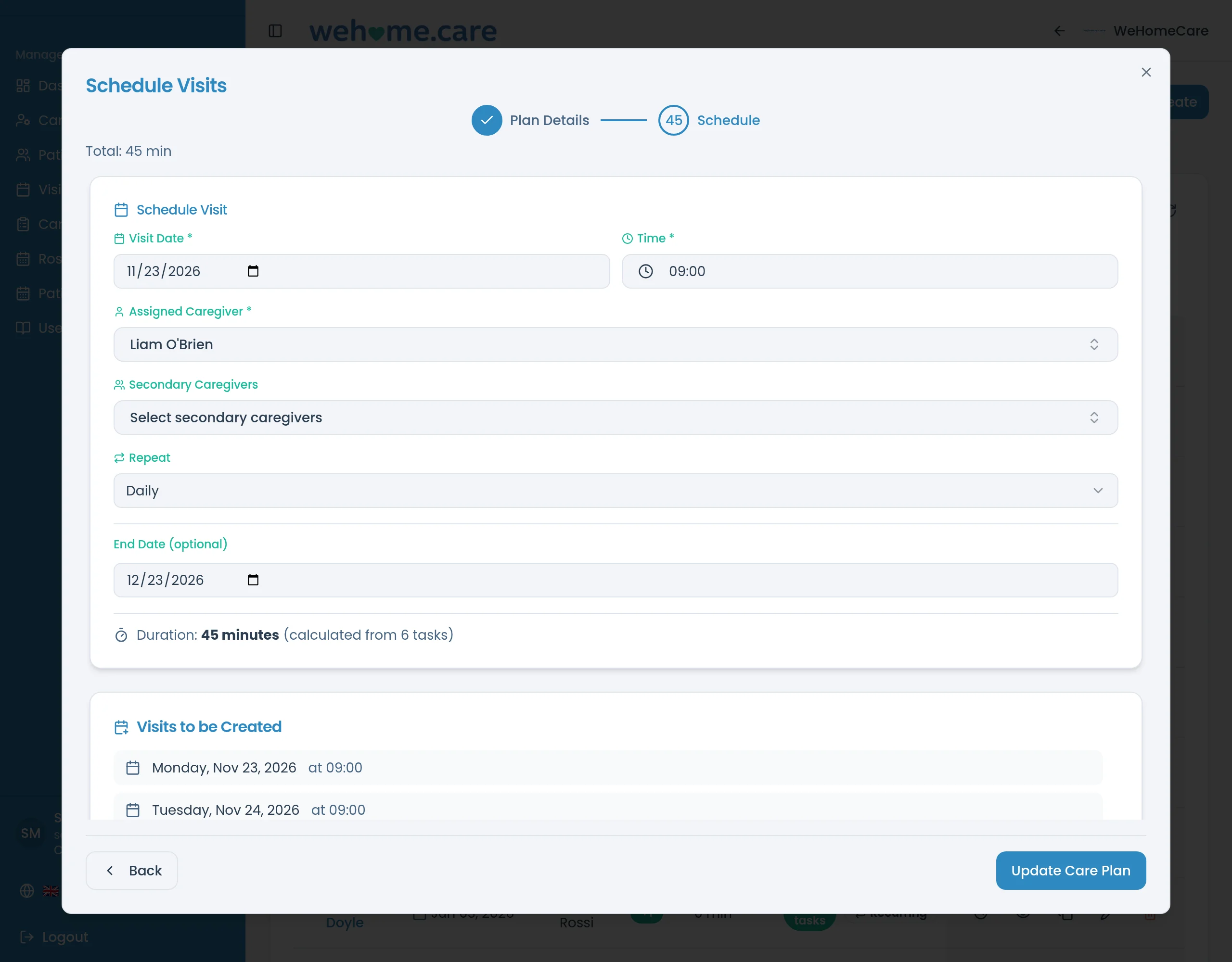
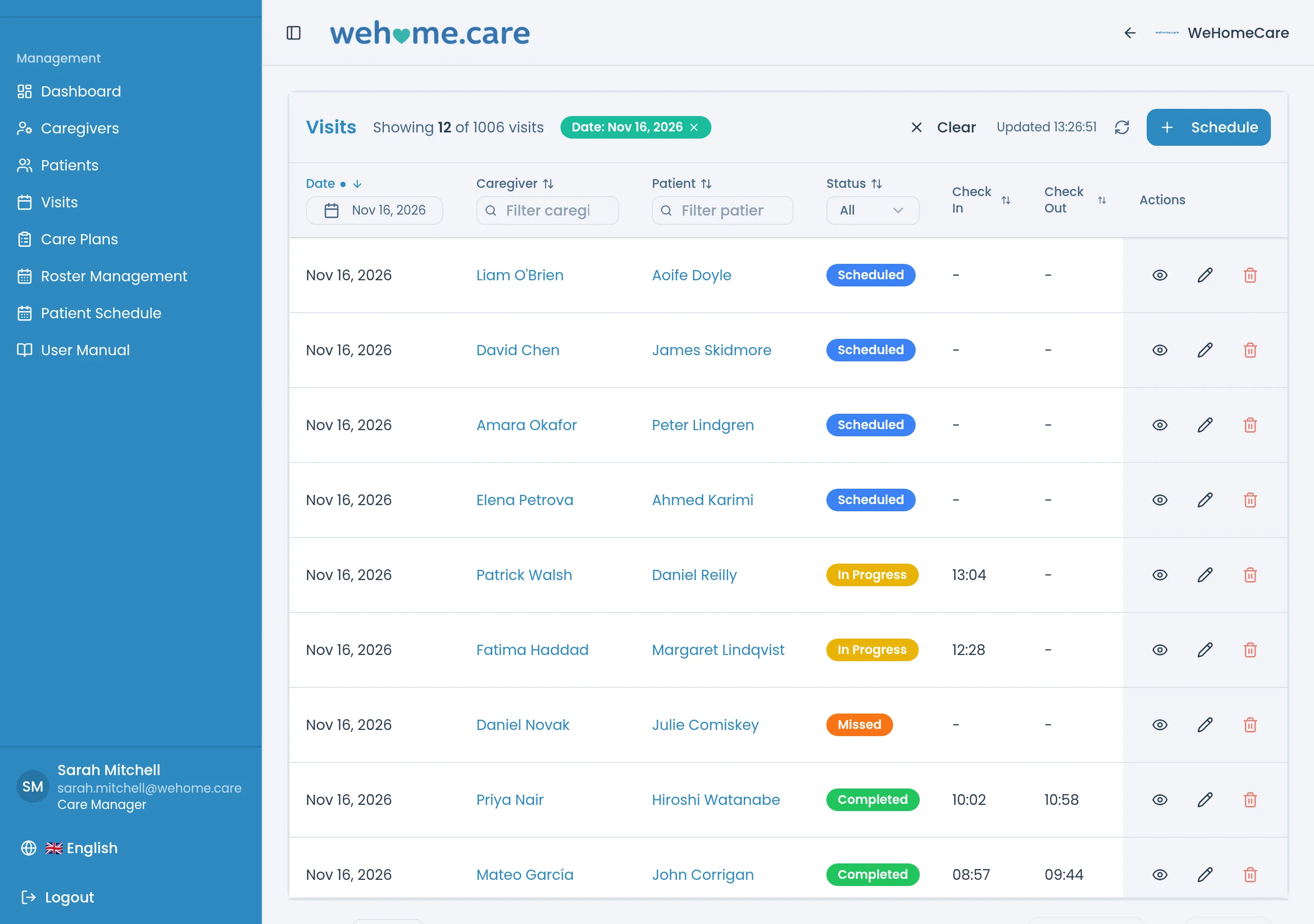
Plan visits ahead. Keep track of what happened.
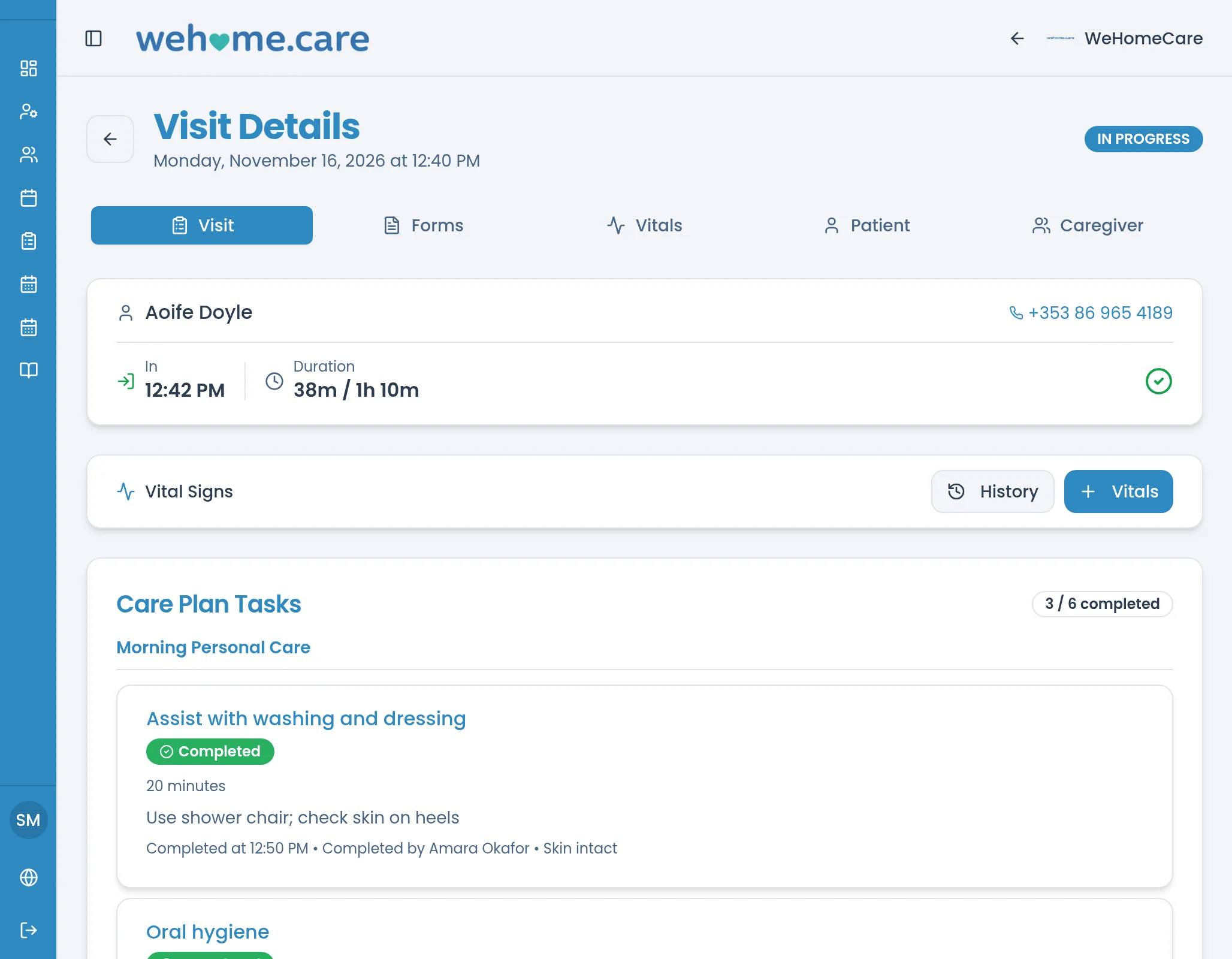
Set up recurring visits from care plans and use visit statuses to follow progress. Managers and coordinators can review visit information, while caregivers use the visit workflow to record their work.
- Generate scheduled visits from a care plan.
- Review visits through their available statuses.
- Identify visits flagged as missed.
- Record check-in and check-out information.
- Review visit notes and task outcomes.
- Show upcoming appointments, with reminders where enabled.
Why it mattersVisit scheduling and status information help coordinators plan staffing and give managers a clearer view of service delivery.
Give caregivers a clear view of their day.
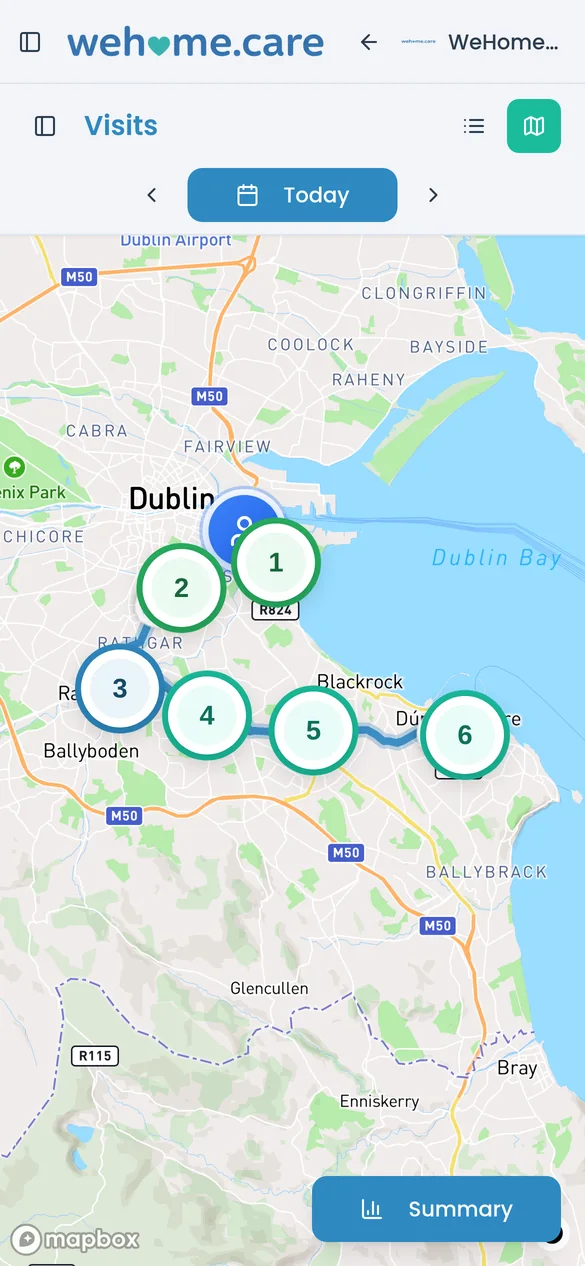
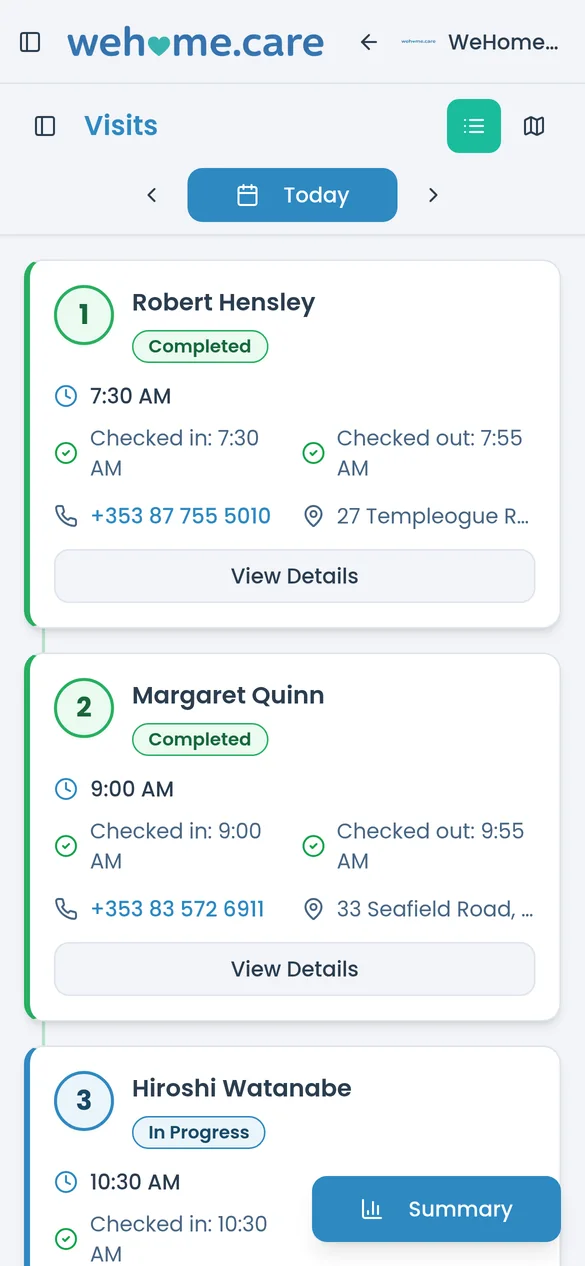
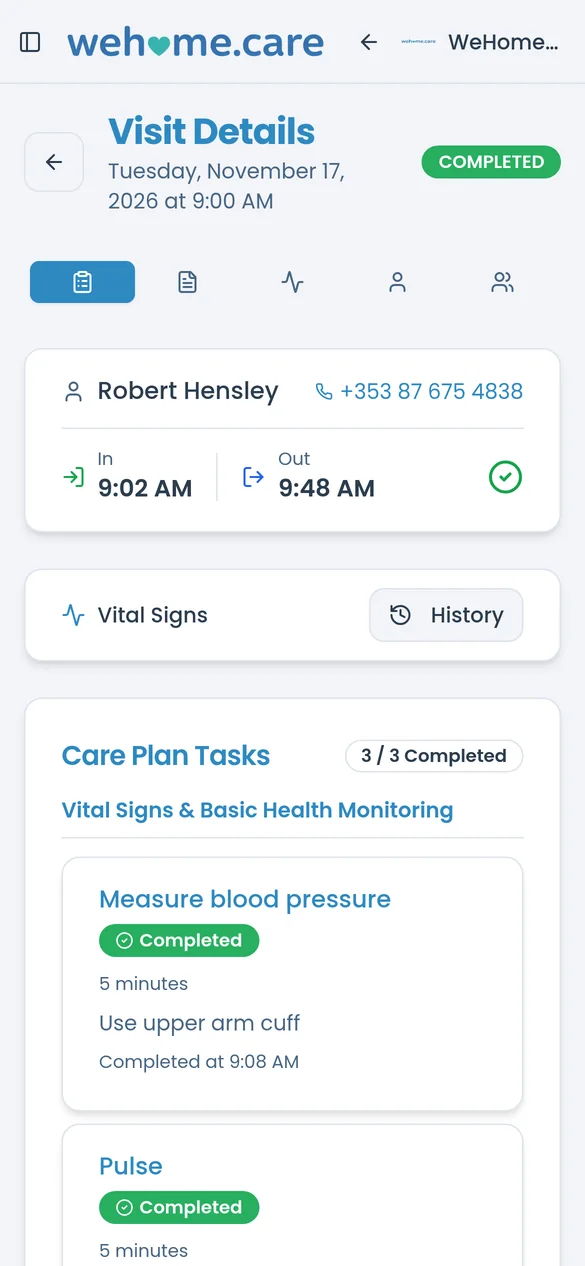
My Visits gives caregivers a daily list of their scheduled visits on a phone or tablet. During a visit, they can check in, complete assigned tasks, record relevant information and check out.
- View today's visits in time order.
- Use the available list or map view.
- Check in and check out.
- Mark tasks as completed.
- Record a reason when a task cannot be completed.
- Record vital signs and complete forms during a visit.
- Record meals, hydration, daily activities and personal-care tasks against the visit.
- Confirm completed medication-related tasks without replacing clinical decisions.
- Make recorded visit notes available to authorised team members.
Why it mattersCaregivers can record visit information at the point of care rather than relying entirely on separate paper notes or later data entry.
Keep important patient information together.
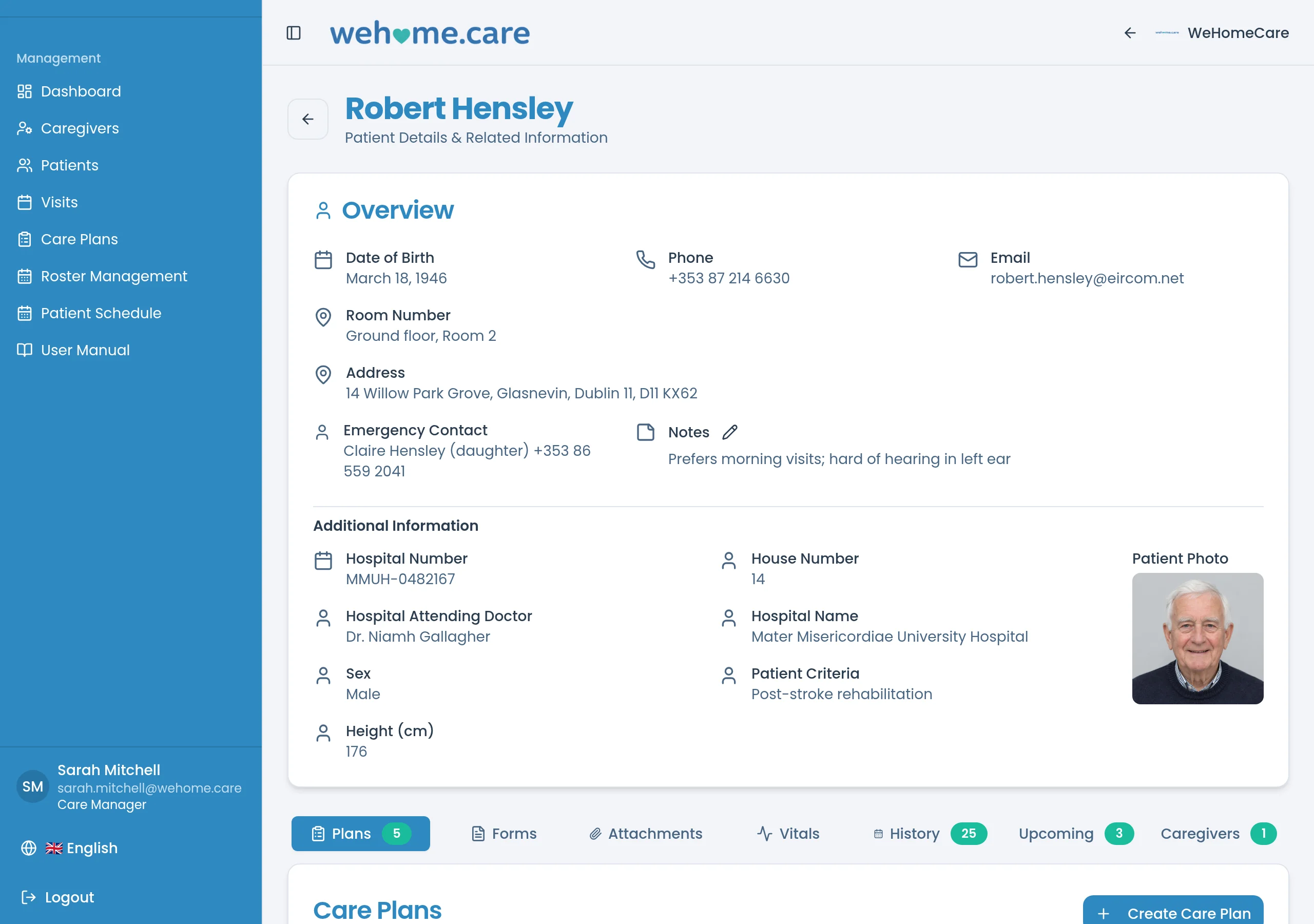
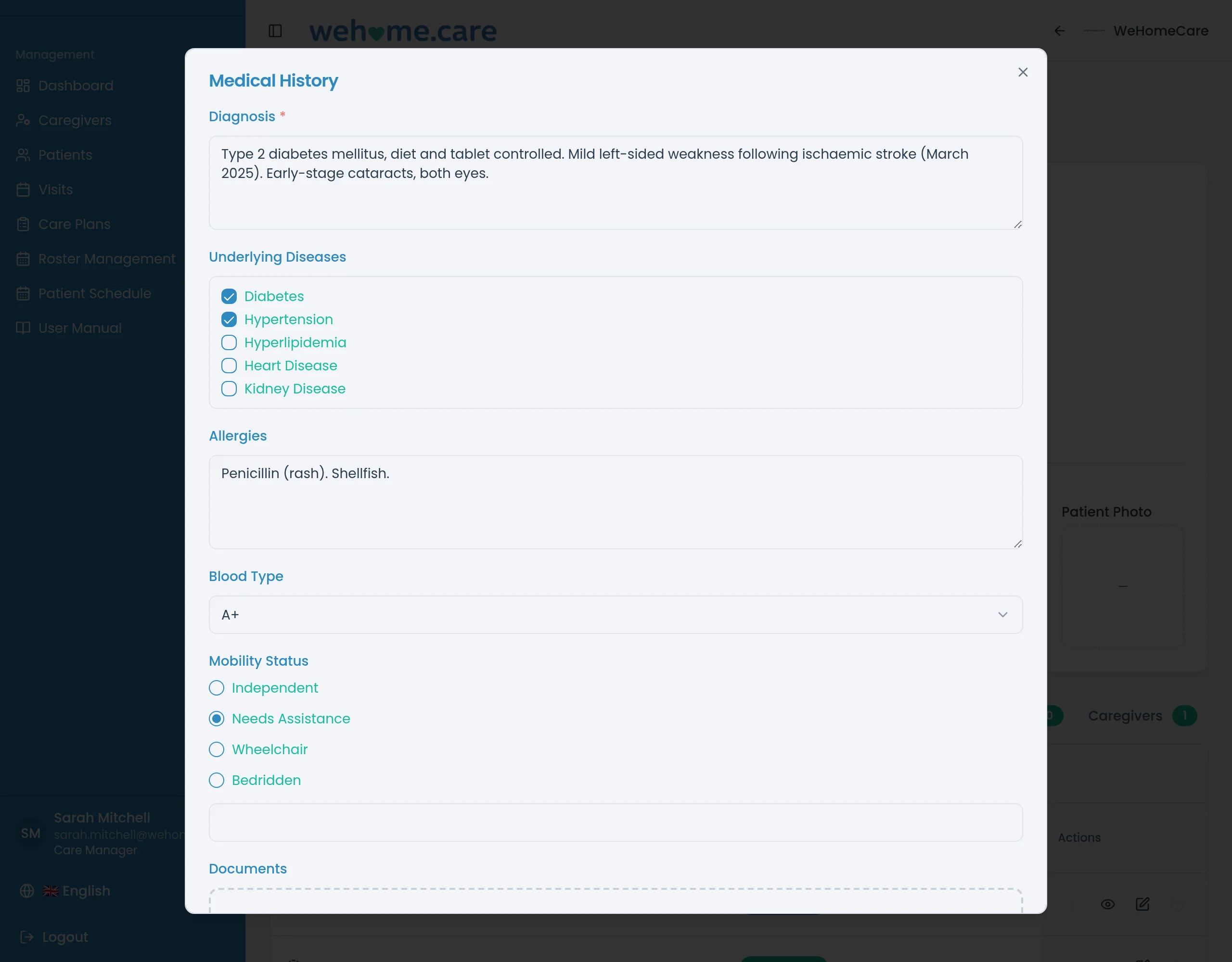
The patient profile brings together key patient details, care plans, forms, attachments, vital signs, assigned caregivers and visit history.
- Review patient details and care plans.
- Access forms and past entries.
- Find files and photos in the Attachments area.
- Review recorded vital signs.
- See assigned caregivers and visit history.
- View permitted recent care updates and visit outcomes in date order.
Why it mattersKeeping these records together makes it easier for authorised team members to find relevant information while reviewing a patient's care.
Record vital signs alongside visit information.
Record vital signs and keep them linked to the relevant visit. The platform's health-monitoring views help authorised staff review recorded measurements and their history.
- Record vital signs during a visit.
- Keep readings associated with the relevant visit.
- Review available historical measurements.
- Use available trend views to review measurements over time.
- Capture simple wellbeing observations for authorised team members.
Why it mattersKeeping vital-sign records connected to visits gives authorised staff useful context when reviewing recorded care information.
Create forms that fit your care process.
Build clinical forms and assessments using available field types. Forms can include structured questions and scoring rules, with automatic scores and corresponding meanings where configured.
- Build forms using supported field types.
- Add required questions.
- Configure rules for answering a minimum number of questions in a group.
- Apply scoring rules where needed.
- Complete forms from a patient profile or during a visit.
- Keep previous form entries for review.
Why it mattersStructured forms help teams capture information in a consistent format and make assessment results easier to review.
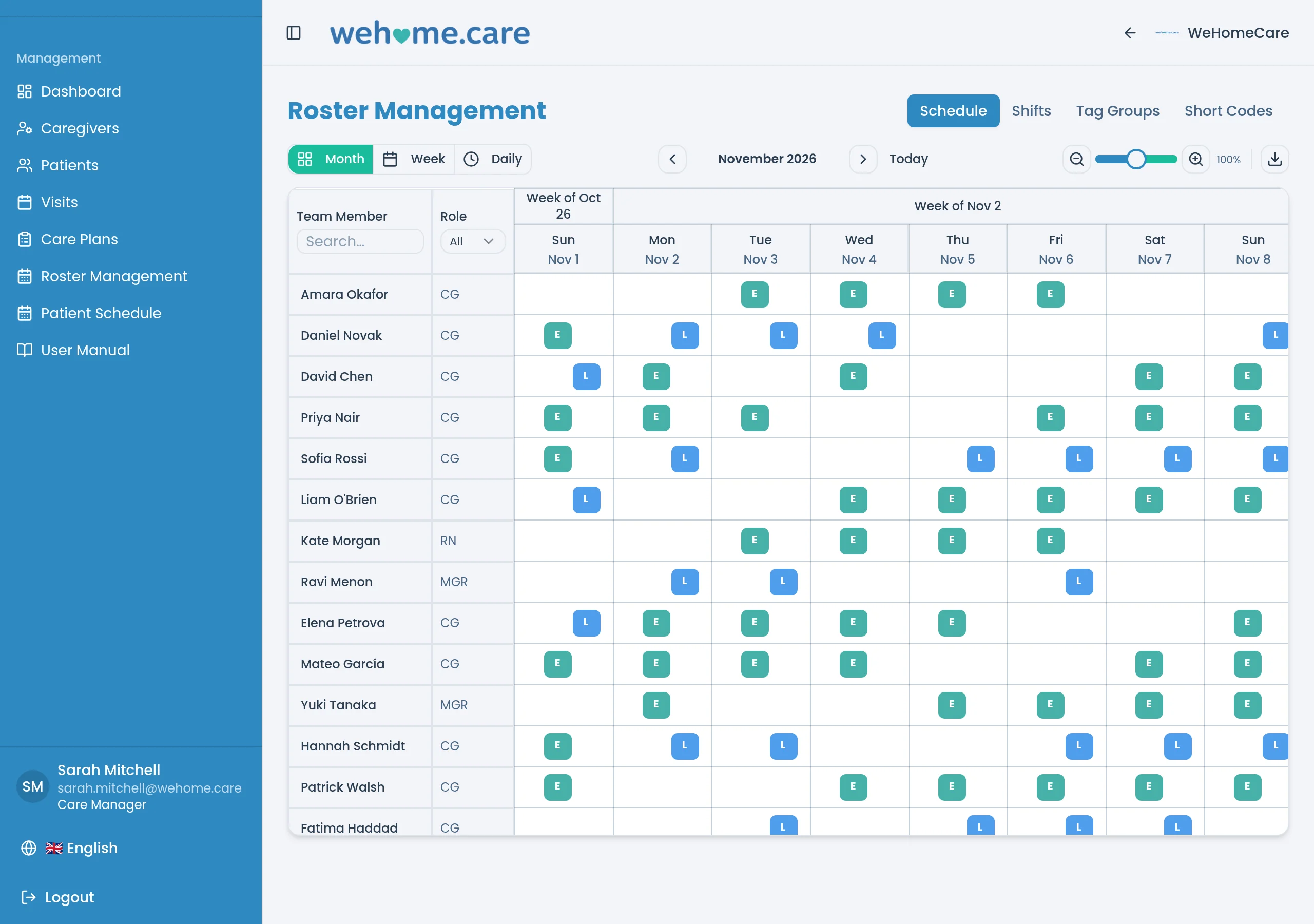
See who is working and organise staff schedules.
Maintain staff profiles and use roster views to organise shifts. Team records can include role, contact details and credential-expiry information.
- Maintain staff profiles.
- Record roles and contact details.
- Record credential expiry dates.
- Review roster schedules by month, week or day.
- Create shifts with start and end times, colours and short codes.
- Organise staff using tag groups.
- Schedule team members who do not have an app sign-in.
Why it mattersRoster and visit planning help coordinators understand staffing arrangements, plan further ahead and identify scheduling gaps.
Review service activity with a clearer view of the work.
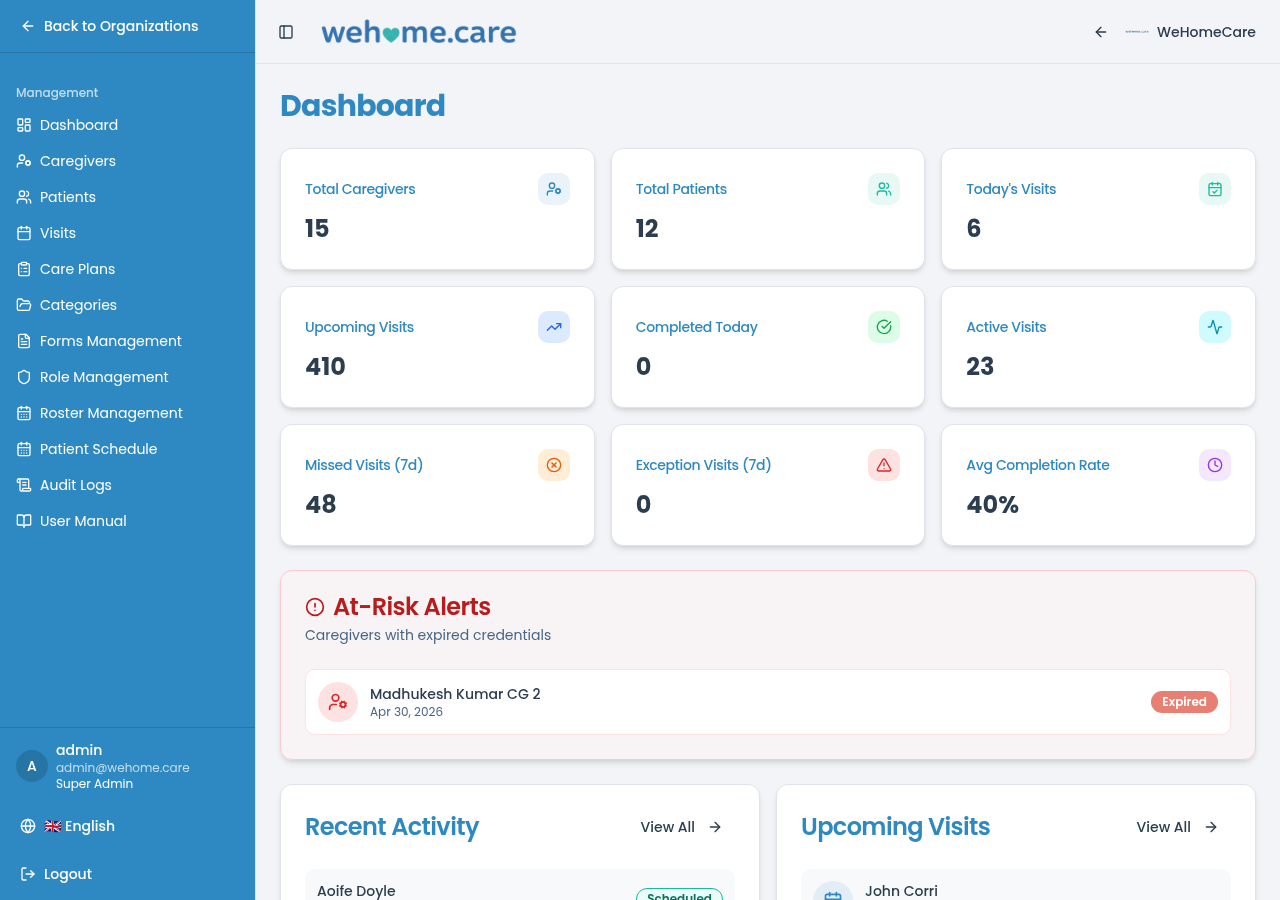
WeHomeCare's management-related capabilities bring visit information and staff access settings into the wider care workflow. Available visit statuses, notes, task outcomes and history help managers review what has been recorded.
- Review visit status and history.
- Access relevant visit notes and task outcomes.
- Use the roles available in the product.
- Apply role-based access where configured.
- Review activity records where available.
- Monitor visit activity across multiple patients or residents.
Why it mattersRelevant visit information and access settings help care organisations organise responsibilities and review recorded activity.
Make the platform fit your organisation.
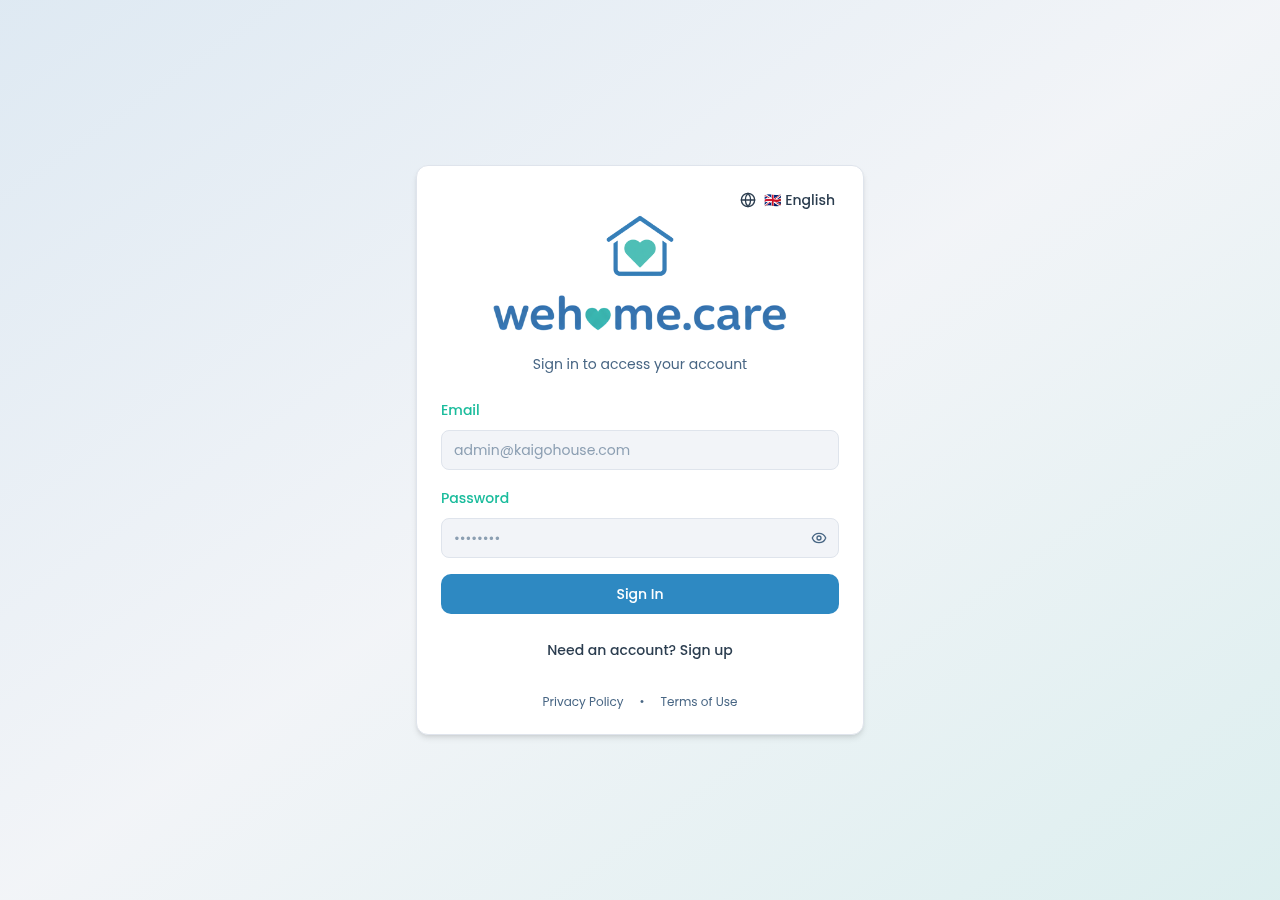
WeHomeCare supports organisation-level branding and wording settings so the experience can better reflect how your team works.
- Add your organisation's logo.
- Configure available brand colours.
- Use your organisation's web address where configured.
- Adjust available wording to suit your organisation.
- Use supported language options.
Why it mattersOrganisation-level branding and wording can help the platform feel familiar to staff using it in their daily work.
SEE IT WITH YOUR TEAM
See these features with your own workflows.
Tell us how your team plans and records care, and we'll show you the parts of WeHomeCare Connect that matter most to you.