
WEHOMECARE FEATURES
Everything your care team needs. Nothing it doesn't.
WeHomeCare brings care plans, visits, patient records, clinical forms and team scheduling together in one place. Give your team a clearer way to plan care, record each visit and review the information that matters.
ONE CONNECTED WORKFLOW
From planning care to reviewing every visit.
Care delivery involves more than scheduling a visit. Teams need to prepare care plans, coordinate staff, record what happened and keep patient information organised. WeHomeCare brings these everyday activities into a connected workflow.
01 / CARE PLANS AND TEMPLATES
Build care plans around the tasks that matter.
Create care plans using reusable templates and ready-made task lists. Set out the tasks required for a patient and configure how often visits should take place.
- Use reusable care-plan templates.
- Choose tasks from ready-made lists.
- Set recurring visit patterns.
- Preview the caregiver's view of a plan.
- Refer to the plan's version history.
Why it mattersReusable plans and task lists can reduce repetitive setup and help teams follow a more consistent process across visits.
Explore care plans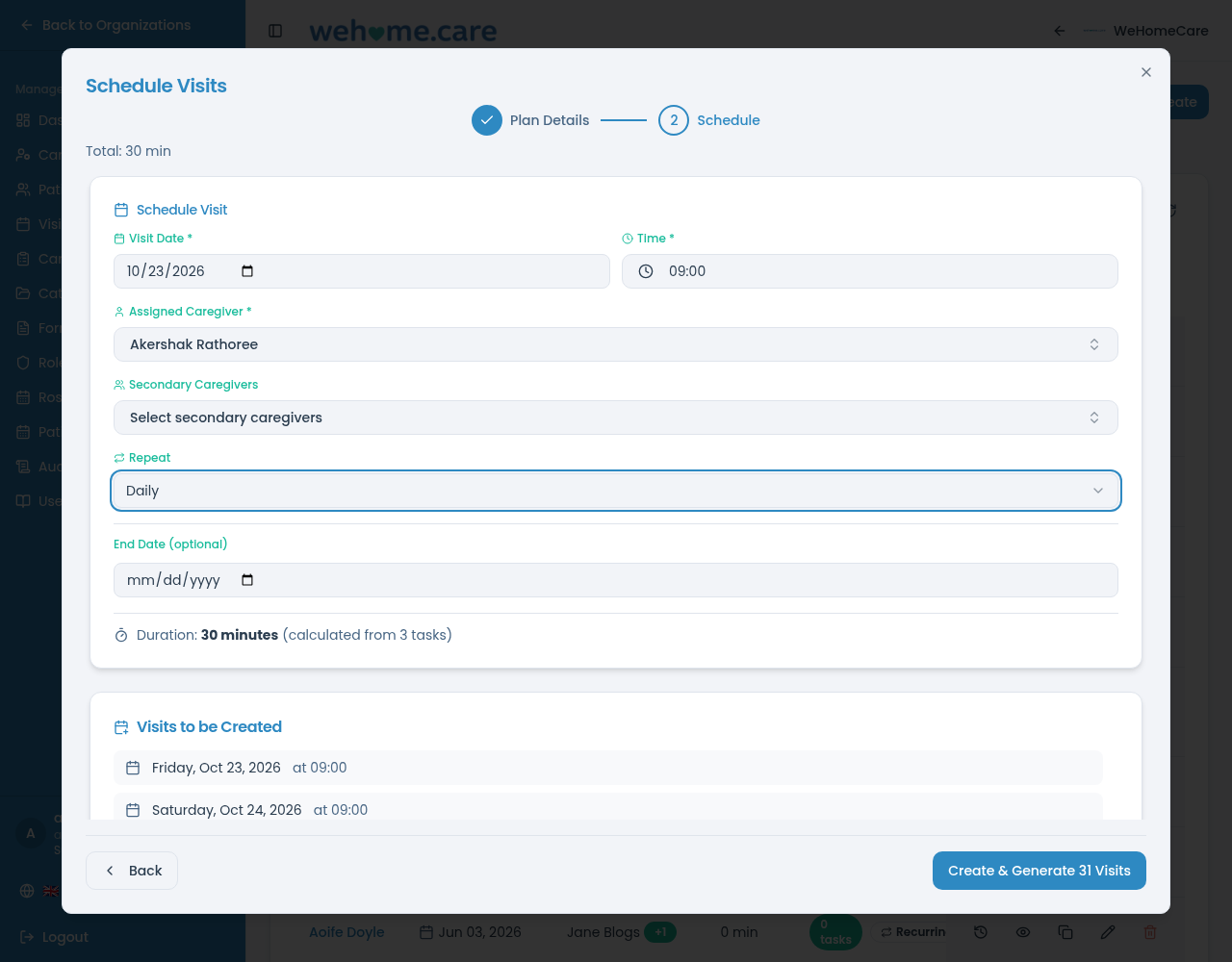
02 / VISIT SCHEDULING AND TRACKING
Plan visits ahead. Keep track of what happened.
Set up recurring visits from care plans and use visit statuses to follow progress. Managers and coordinators can review visit information, while caregivers use the visit workflow to record their work.
- Generate scheduled visits from a care plan.
- Review visits through their available statuses.
- Identify visits flagged as missed.
- Record check-in and check-out information.
- Review visit notes and task outcomes.
- Show upcoming appointments, with reminders where enabled.
Why it mattersVisit scheduling and status information help coordinators plan staffing and give managers a clearer view of service delivery.
Explore visit scheduling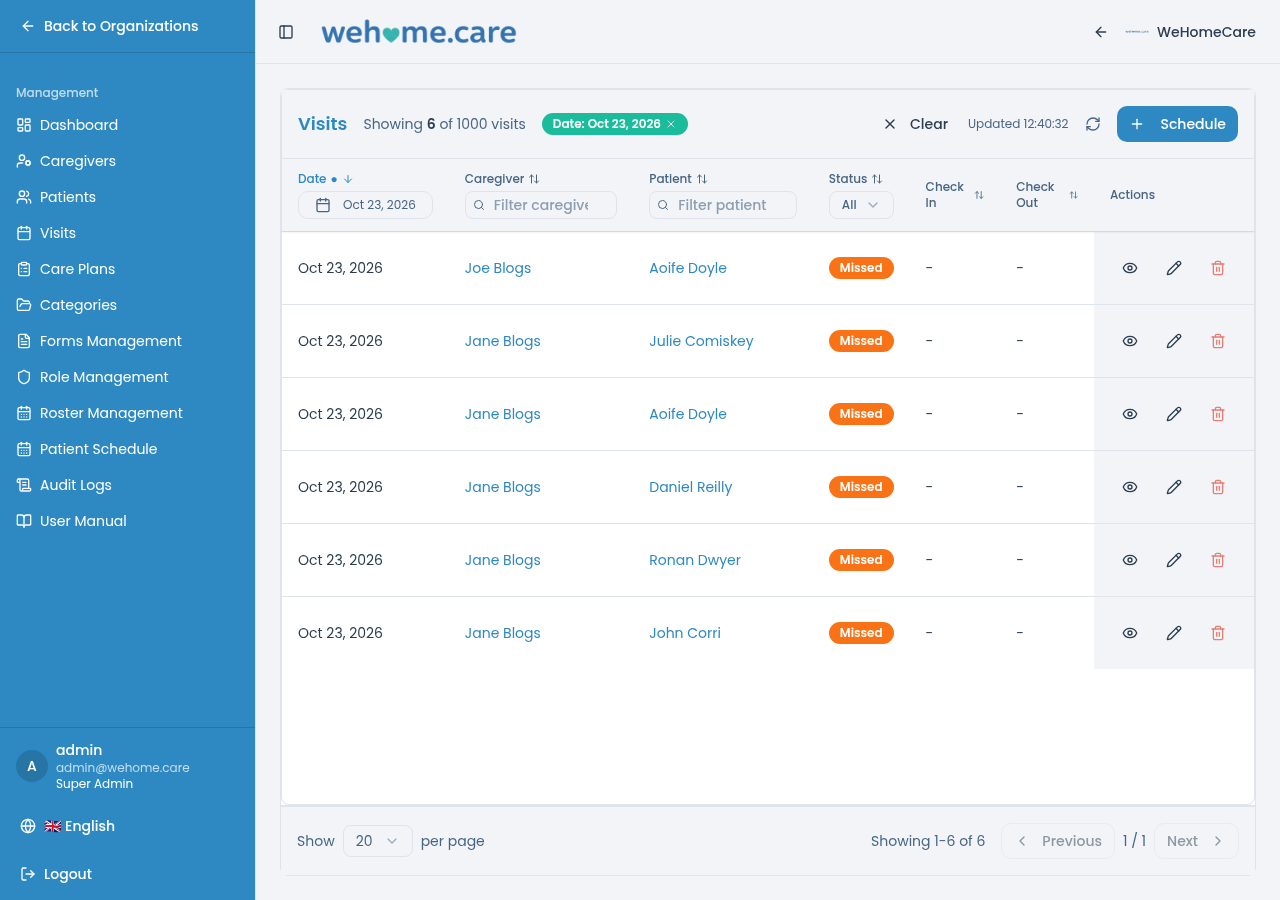
03 / CAREGIVER APP: MY VISITS
Give caregivers a clear view of their day.
My Visits gives caregivers a daily list of their scheduled visits on a phone or tablet. During a visit, they can check in, complete assigned tasks, record relevant information and check out.
- View today's visits in time order.
- Use the available list or map view.
- Check in and check out.
- Mark tasks as completed.
- Record a reason when a task cannot be completed.
- Record vital signs and complete forms during a visit.
- Record meals, hydration, daily activities and personal-care tasks against the visit.
- Confirm completed medication-related tasks without replacing clinical decisions.
- Make recorded visit notes available to authorised team members.
Why it mattersCaregivers can record visit information at the point of care rather than relying entirely on separate paper notes or later data entry.
Explore My Visits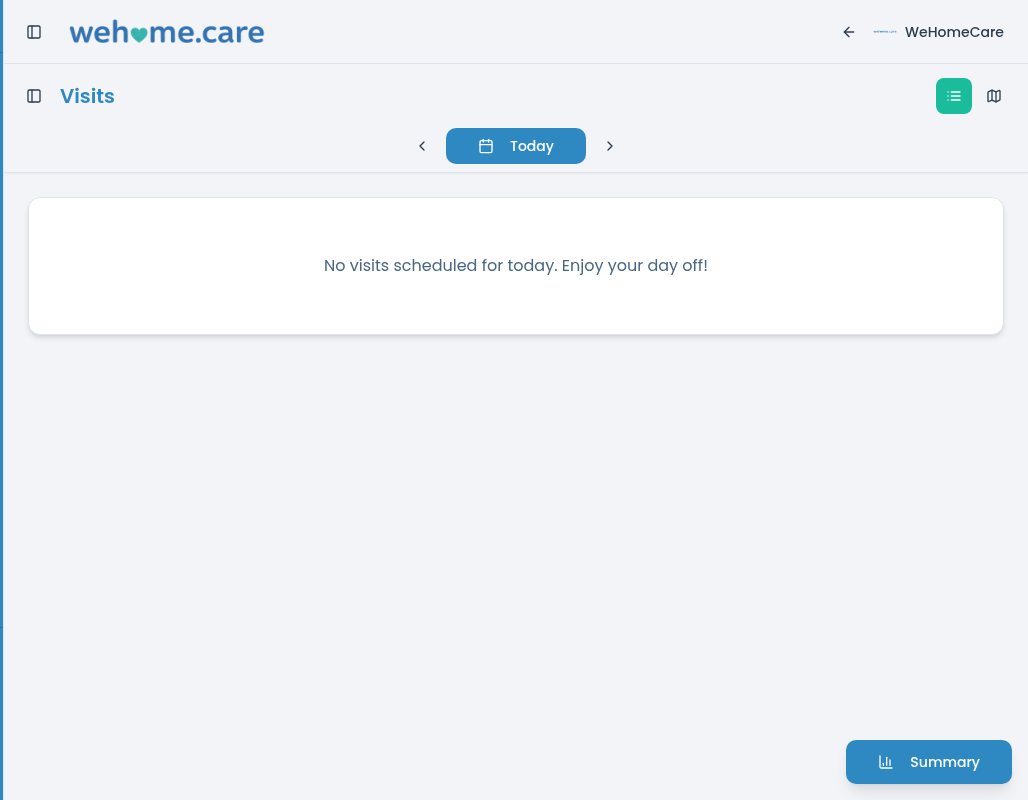
04 / PATIENT RECORDS
Keep important patient information together.
The patient profile brings together key patient details, care plans, forms, attachments, vital signs, assigned caregivers and visit history.
- Review patient details and care plans.
- Access forms and past entries.
- Find files and photos in the Attachments area.
- Review recorded vital signs.
- See assigned caregivers and visit history.
- View permitted recent care updates and visit outcomes in date order.
- Share care-related updates between family members and the care team within privacy settings.
- Show permitted alerts about care events that need family attention.
- Review family care summaries of permitted information over a chosen period.
Why it mattersKeeping these records together makes it easier for authorised team members to find relevant information while reviewing a patient's care.
Explore patient records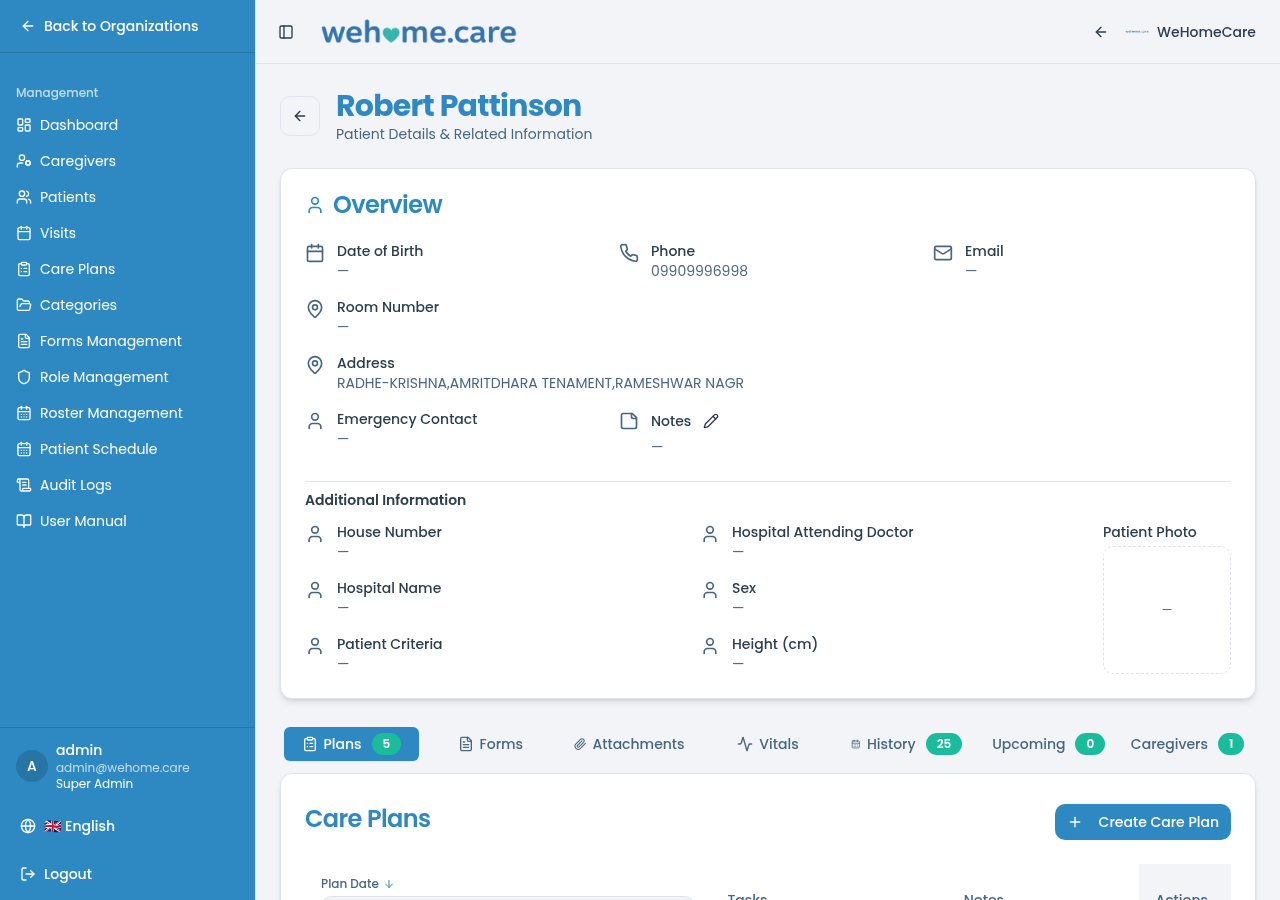
05 / HEALTH MONITORING
Record vital signs alongside visit information.
Record vital signs and keep them linked to the relevant visit. The platform's health-monitoring views help authorised staff review recorded measurements and their history.
- Record vital signs during a visit.
- Keep readings associated with the relevant visit.
- Review available historical measurements.
- Use available trend views to review measurements over time.
- Capture simple wellbeing observations for authorised team members.
Why it mattersKeeping vital-sign records connected to visits gives authorised staff useful context when reviewing recorded care information.
Explore health monitoring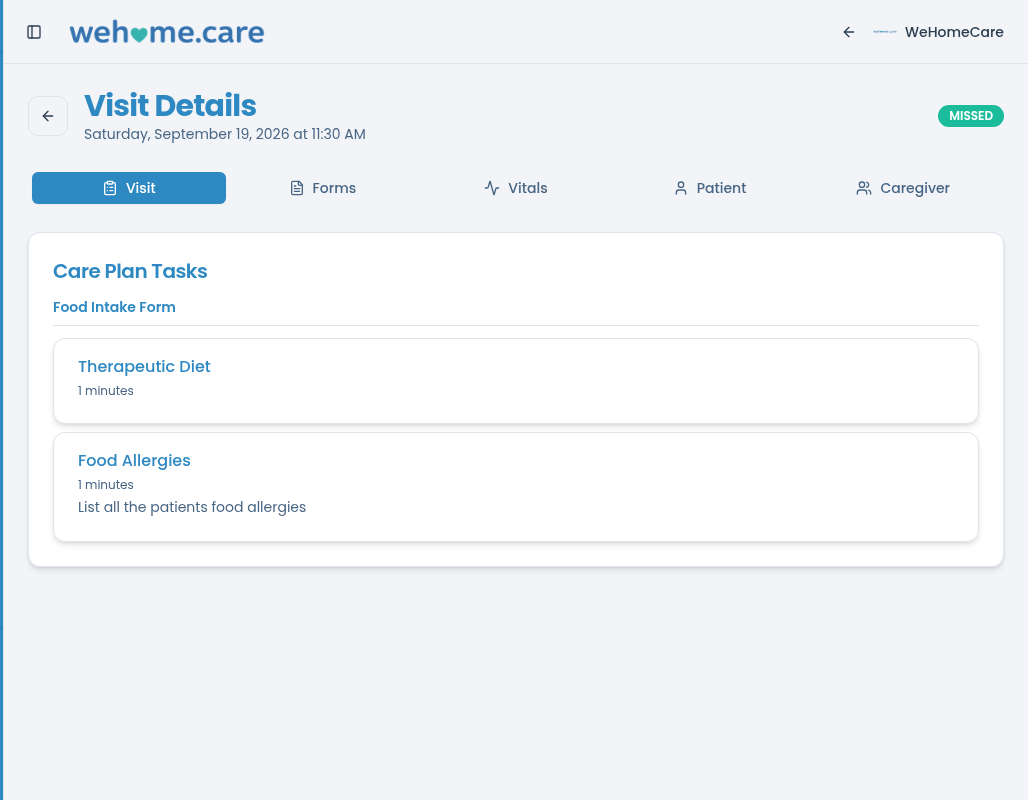
06 / CLINICAL FORMS AND ASSESSMENTS
Create forms that fit your care process.
Build clinical forms and assessments using available field types. Forms can include structured questions and scoring rules, with automatic scores and corresponding meanings where configured.
- Build forms using supported field types.
- Add required questions.
- Configure rules for answering a minimum number of questions in a group.
- Apply scoring rules where needed.
- Complete forms from a patient profile or during a visit.
- Keep previous form entries for review.
Why it mattersStructured forms help teams capture information in a consistent format and make assessment results easier to review.
Explore clinical forms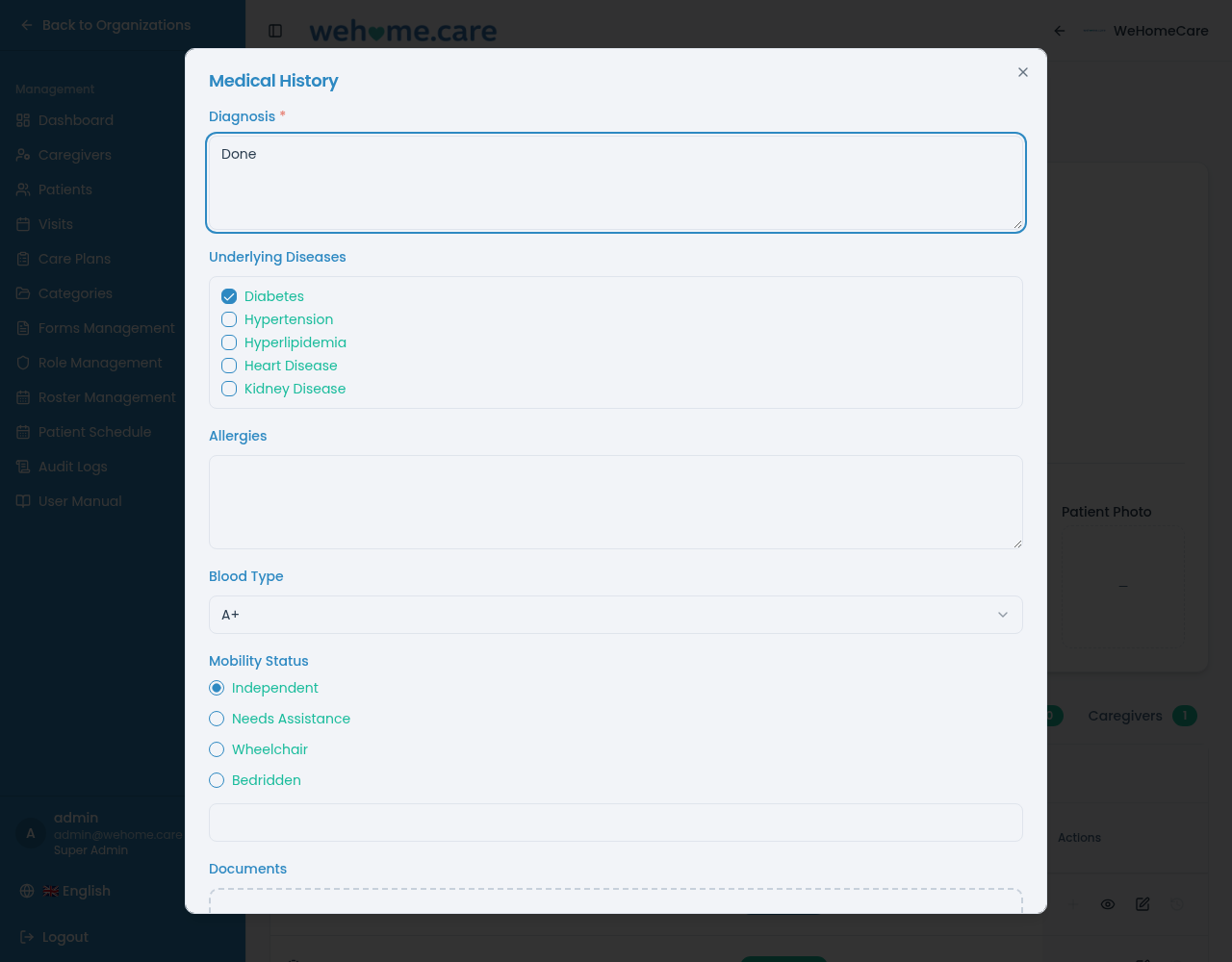
07 / TEAM, ROSTER AND CREDENTIALS
See who is working and organise staff schedules.
Maintain staff profiles and use roster views to organise shifts. Team records can include role, contact details and credential-expiry information.
- Maintain staff profiles.
- Record roles and contact details.
- Record credential expiry dates.
- Review roster schedules by month, week or day.
- Create shifts with start and end times, colours and short codes.
- Organise staff using tag groups.
- Schedule team members who do not have an app sign-in.
Why it mattersRoster and visit planning help coordinators understand staffing arrangements, plan further ahead and identify scheduling gaps.
Explore team and roster features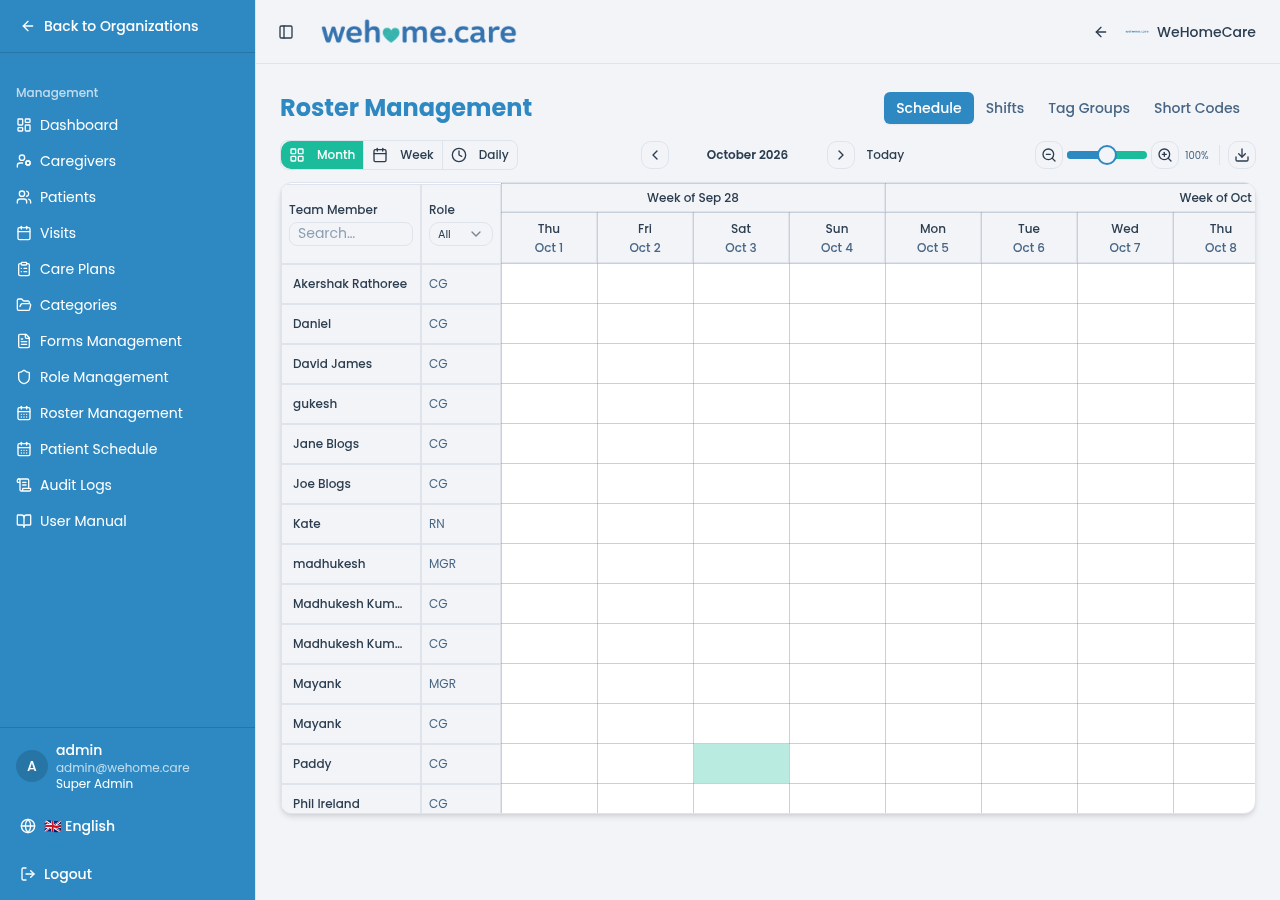
08 / DASHBOARD, ROLES AND ACTIVITY RECORDS
Review service activity with a clearer view of the work.
WeHomeCare's management-related capabilities bring visit information and staff access settings into the wider care workflow. Available visit statuses, notes, task outcomes and history help managers review what has been recorded.
- Review visit status and history.
- Access relevant visit notes and task outcomes.
- Use the roles available in the product.
- Apply role-based access where configured.
- Review activity records where available.
- Monitor visit activity across multiple patients or residents.
Why it mattersRelevant visit information and access settings help care organisations organise responsibilities and review recorded activity.
Explore management features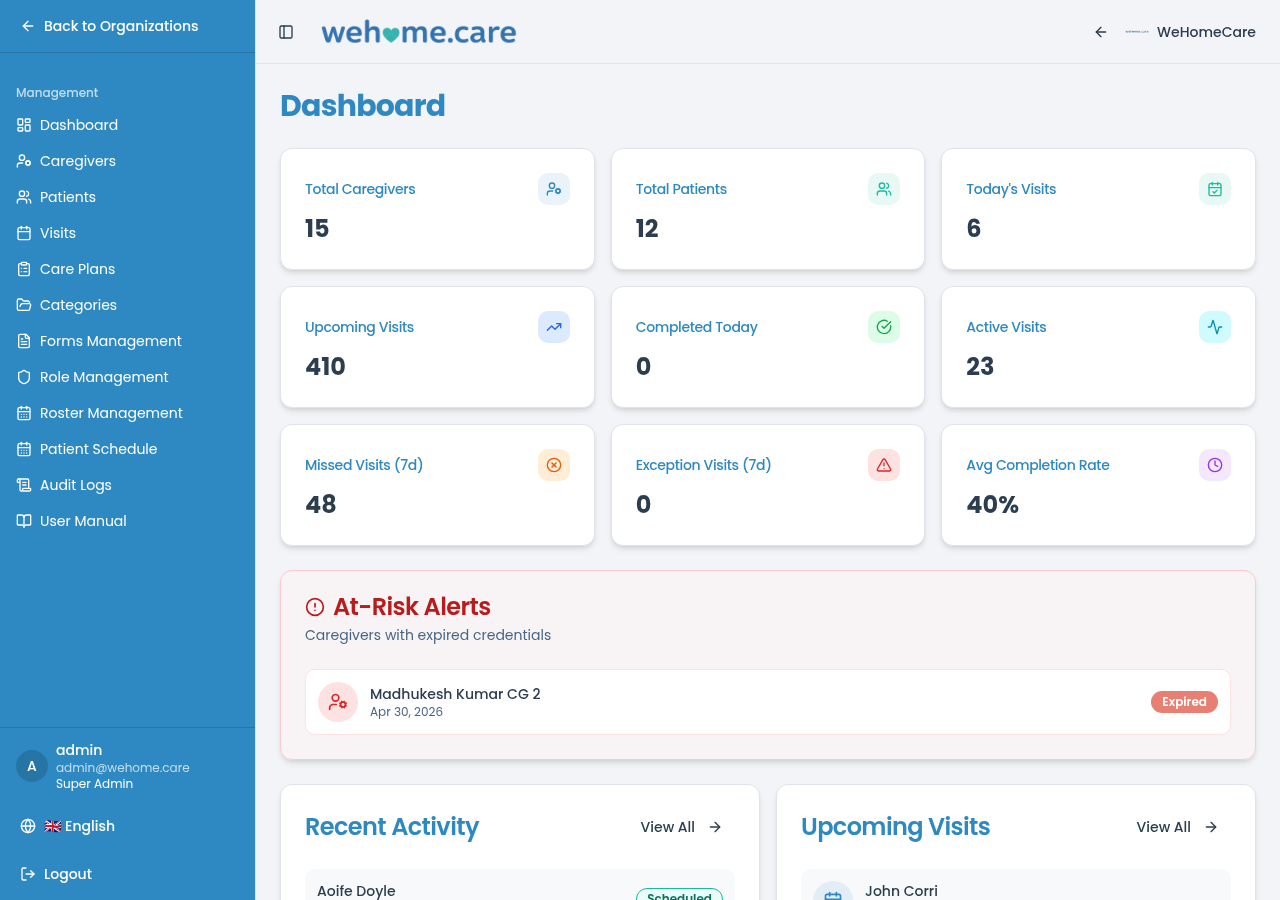
09 / BRANDING AND LANGUAGE SETTINGS
Make the platform fit your organisation.
WeHomeCare supports organisation-level branding and wording settings so the experience can better reflect how your team works.
- Add your organisation's logo.
- Configure available brand colours.
- Use your organisation's web address where configured.
- Adjust available wording to suit your organisation.
- Use supported language options.
Why it mattersOrganisation-level branding and wording can help the platform feel familiar to staff using it in their daily work.
Explore branding and language settingsWEHOMECARE FORCE
Recruitment
- Healthcare job listings
Allow healthcare employers to present vacancies with the role, location and relevant requirements so candidates can discover them.
- Search for nurses and doctors
Enable employers to find healthcare professionals using relevant profile and qualification criteria.
- Candidate profiles and credentials
Provide professional profiles with candidate experience, qualifications and the credential information supplied to the platform.
- Applications and recruitment workflow
Support job applications and employer review stages, such as shortlisting and interview coordination.
- Employer recruitment dashboard
Give employers an overview of vacancies, applications and recruitment activity in one place.
BUILT AROUND THE CARE TEAM
Useful features for the people involved in care.
Different team members interact with care information in different ways. WeHomeCare's connected workflows bring together planning, visit delivery, record-keeping and review.
Caregivers
See scheduled visits, complete assigned tasks, and record visit information using My Visits.
Nurses
Access relevant patient information, record vital signs, and complete clinical forms and assessments.
Care homes and agencies
Use care plans, visit scheduling, patient records and roster planning to organise day-to-day service delivery.
Patients and families
Care providers using WeHomeCare can draw on organised visit and patient records when reviewing the care being delivered.